
vt
A terminal emulator in Go. Feed it what a program prints, and read the screen, the scrollback and the modes.
tuios.dev/vt is a terminal emulator in Go. It reads the bytes a program writes to a terminal and keeps the screen they draw: the cells, their colours and attributes, the cursor, the scrollback and the modes. tuios runs every pane on it.
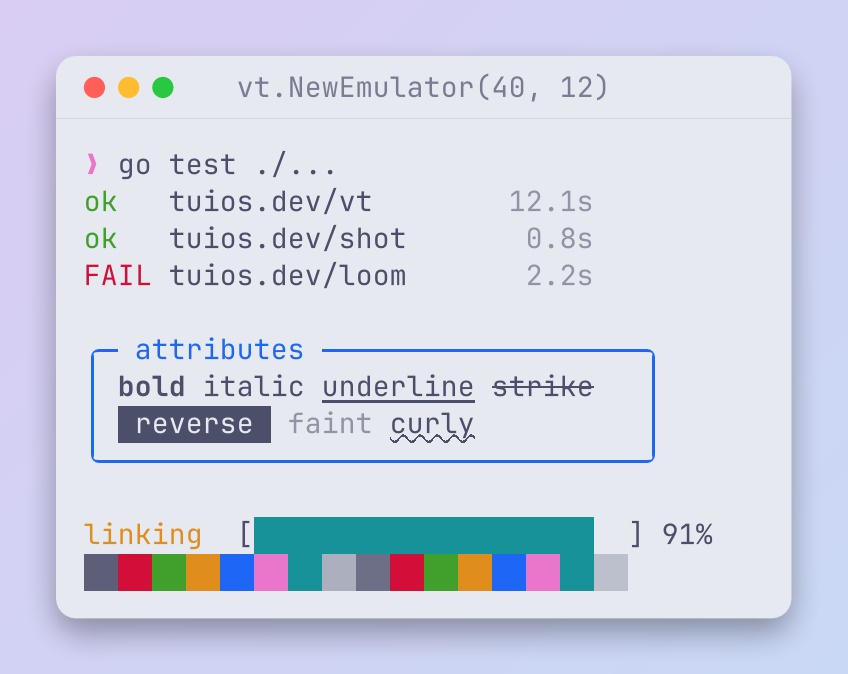
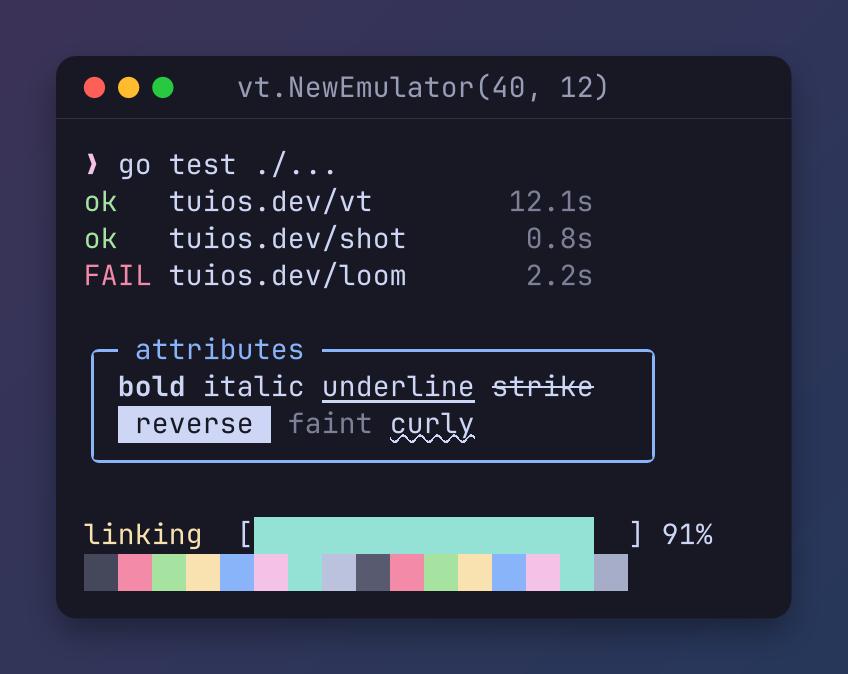
It needs Go 1.26 or later. The default build is pure Go and needs no cgo. The API reference is on pkg.go.dev.
Quickstart
go get tuios.dev/vtpackage main
import (
"fmt"
"tuios.dev/vt"
)
func main() {
term := vt.New(40, 3)
defer term.Close()
// What a program prints goes in.
term.Write([]byte("hello \x1b[1mworld\x1b[0m\r\n$ "))
// The screen comes out, as text or cell by cell.
fmt.Println(term.String())
fmt.Println(term.CellAt(6, 0).Content) // "w", drawn bold
fmt.Println(term.CursorPosition()) // column 2, row 1
}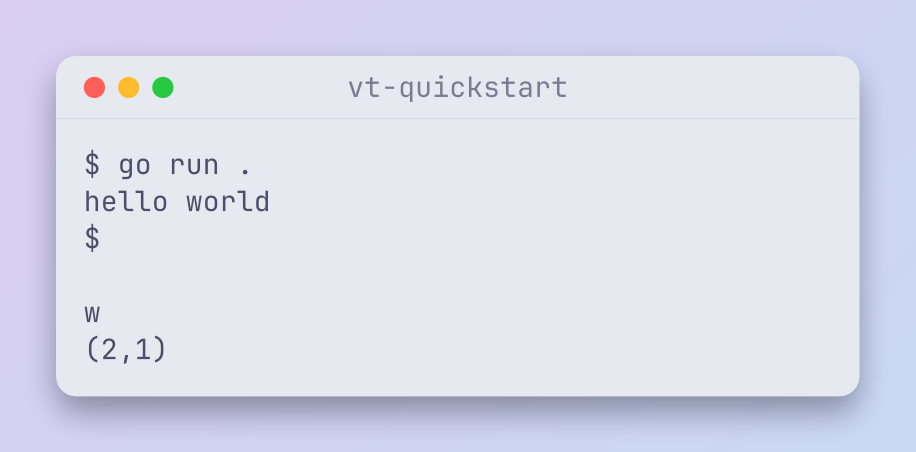
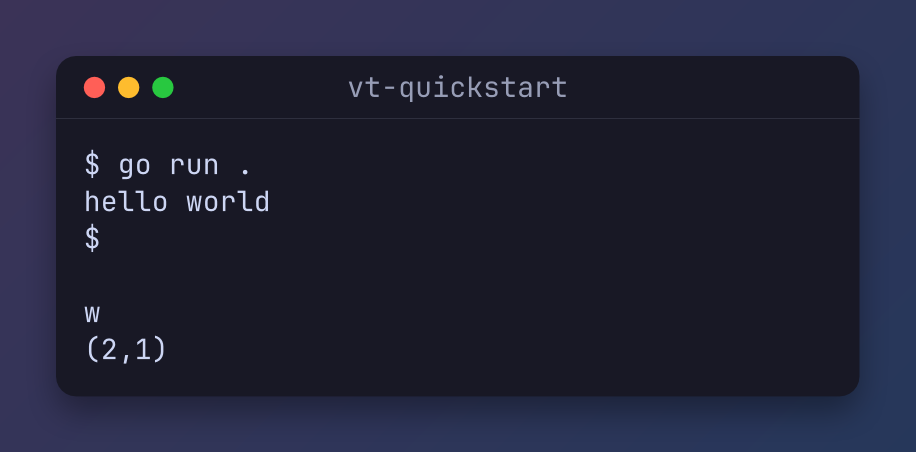
String gives every row of the screen, so the 3-row screen prints three lines.
How it works
                          ┌────────────┐
                          │  Program   │
                          └────────────┘
                         ┌──────┘ ▲
                         │        └───────────┐
                       bytes                  │
                         │                    │
                         ▼                    │
                   ┌──────────┐               │
                   │  Parser  │               │
                   └──────────┘               │
                        │  └─────────┐        │
                        │   replies to queries
                    ┌───┘            │        │
                    ▼                └──────┐ │
       ┌────────────────────────┐           ▼ │
       │ Screen: cells, cursor, │      ┌────────┐
       │         modes          │      │  Read  │
       └────────────────────────┘      └────────┘
         │                     └┐
         │                      │
         │           CellAt, String, Render
         │                      │
         ▼                      ▼
  ┌─────────────┐      ┌─────────────────┐
  │ Scrollback  │      │  Your program   │
  └─────────────┘      └─────────────────┘
49 columns, 27 rows, drawn for 80 columns.
flowchart LR
  prog["Program"] -- "bytes" --> parser["Parser"]
  parser --> screen["Screen: cells, cursor, modes"]
  screen --> scroll["Scrollback"]
  parser -- "replies to queries" --> read["Read"]
  read --> prog
screen -- "CellAt, String, Render" --> host["Your program"]Writetakes what a program prints. The parser updates the screen and the scrollback.- Some sequences ask the terminal a question, such as the cursor position.
Readreturns the replies, and the host writes them back to the program. CellAt,StringandRenderread the screen.Callbackstells you what the program asks of the host, such as a new title.
With a pseudo-terminal, copy the replies back in a goroutine:
go io.Copy(ptmx, term)What it covers
- VT100 to xterm sequences, with a conformance corpus in its tests.
- Scrollback with reflow on resize.
- The alternate screen, scroll regions, left and right margins, tab stops, character sets and selective erase.
- Mouse modes and key encoding, with the kitty keyboard protocol and modifyOtherKeys.
- Kitty graphics and sixel, OSC 8 links, OSC 133 shell marks, OSC 52 clipboard, desktop notifications and OSC 9;4 progress.
- OSC 7501, the Program Status Protocol.
How do I
- Check what a program drew in a test? Write its output, then compare
term.String()or readCellAt. - Run a real program? Start it on a pseudo-terminal, copy its output into
Write, and copyReadback to it. - Show a terminal inside a Bubble Tea program? Resize the emulator with
Resize, and putRenderin your view. - Keep a screen and send it to a client later? Use
tuios.dev/vt/snapshot.Replayturns a state into the bytes that repaint it on any xterm-compatible terminal. - Save a picture of the screen? Read it with shot:
shot.FromScreen(term, palette). - Take a file dropped on a pane, or let a program in a pane start a drag? Use
tuios.dev/vt/dnd, below. - Fuzz my own emulator?
tuios.dev/vt/vtgengenerates terminal input from a grammar. A failure reduces to a script of named sequences a person can read.
API overview
| Name | Does |
|---|---|
New, NewWithScrollback | Return the backend the build selected. |
NewEmulator, Emulator | The pure Go emulator. |
Screen | The small interface most users need: Write, Read, Resize, Width, Height, CellAt, CursorPosition, Render, String and Close. |
Terminal | The full interface that tuios uses: scrollback, modes, key and mouse encoding, graphics, and the state a snapshot carries. |
Callbacks | What a program asks of the host: a title, a bell, a working directory, a clipboard write, a notification, and private OSC sequences. |
snapshot | Capture, pack and apply an emulator's state. |
vtgen | Grammar-based terminal input for fuzzing. |
dnd | Read and write the kitty drag and drop protocol, OSC 72. |
Drag and drop: vt/dnd
tuios.dev/vt/dnd reads and writes the kitty drag and drop protocol, OSC 72. A program in a pane uses it to say that it accepts drops or offers drags, and the terminal uses it to send the pointer, the drop and the data. kitty marks the protocol as not yet stable.
The package is the wire layer only. It reads one message out of an OSC body, joins a message that came in chunks, and writes a message the way kitty writes it. What a message means, and which pane gets it, is your program's business.
import "tuios.dev/vt/dnd"

// A program in a pane says what it accepts, in two chunks.
var asm dnd.Assembler
for _, body := range []string{
	"72;t=a:m=1;text/uri-list text/",
	"72;m=0;plain",
} {
	cmd, ok := dnd.Parse([]byte(body))
	if !ok {
		continue
	}
	if whole, done := asm.Add(cmd); done {
		fmt.Printf("type %c accepts %q\n", whole.Type, dnd.MimeList(whole.Payload))
	}
}
// type a accepts ["text/uri-list" "text/plain"]

// The terminal answers a data request with the bytes of a file.
reply := dnd.EncodeData(dnd.Command{Type: 'r', X: 1}, []byte("hello"))
The OSC body comes from Callbacks.PrivateOSC, which the emulator calls for an OSC it does not handle itself.
| Name | Does |
|---|---|
Parse | Read one OSC 72 body into a Command. |
Command.Encode | Write one command as an escape code. |
Assembler | Join the chunks of one message. Keep one for each direction of each pane. |
EncodeData | Split a payload into chunks of MaxChunk and end the stream as kitty does. |
DecodePayload, MimeList, ErrorPayload | Read a base64 payload, read a list of MIME types, and write an error answer. |
It is a package of the vt module, so go get tuios.dev/vt brings it. tuios uses it to drag files between panes and from the rail into a pane.
The ghostty backend
With the ghostty build tag, New returns an emulator backed by libghostty-vt through cgo. The build needs the library. See docs/ghostty-vt.md for how tuios builds it.
Where it fits
- tuios runs every pane on vt, in the daemon. The daemon sends a client a snapshot when it attaches.
- shot reads a vt screen to make a picture. The pictures on these library pages that show terminal output went through vt.
- vt parses OSC 7501 with progstatus.
Versions
The module is at v0. The API can change between minor versions. Its tags have the folder name as a prefix, such as vt/v0.1.0. The source is in the vt folder of the tuios repository, under the MIT licence. It started as a copy of the vt package of charmbracelet/x.
progstatus
A Go package for the Program Status Protocol, OSC 7501. Write a report from a program, or read reports in a terminal.
swatch
A Go library that reads the desktop's colour theme as a palette with semantic roles, and follows it while your program runs. The first source is Omarchy.
tuios lives only at tuios.dev and github.com/Gaurav-Gosain/tuios. tuios has no X or Twitter account. An account that offers a tuios token or presale is not this project.