
Restarting the Daemon
Move the daemon to a new tuios build with tuios restart-server or from the app. tuios shows what stops first, and every attached client comes back by itself.
The daemon runs the tuios build it started with until it stops. After you update tuios, restart the daemon to move your sessions to the new build. tuios restart-server Unreleased does that in one step. First it shows what stops and what comes back, and asks you. Then it stops the daemon and starts the newest tuios you have installed. It waits until the new daemon answers.
Quickstart
tuios update            # or your package manager
tuios restart-server    # show what stops, ask, then restart
From a shell, the command prints the plan and asks:
Daemon now      0.10.1
After restart   0.11.0   (from ~/.local/bin/tuios)

These stop:
  nvim in "edit" (session work)
  claude in "agent" (session work)
Only shells in notes.

These come back:
  Each session, with its layout, its pane history and new shells.
  claude-code in "agent" (session work) can resume.
The Inbox offers to resume each one.
Restart the daemon? [y/N]
Then it shows each step:
Stopping the daemon...
Starting the daemon 0.11.0...
The daemon restarted on 0.11.0.
These sessions came back: work, notes.
What stops and what comes back
A restart ends every program that runs in a pane: editors, servers, agents, long builds. The plan names each one, by pane and session, so you can finish or save work first.
Each session comes back with its layout, the pane names and the history each pane showed. Every pane gets a new shell, under a divider that says when it was restored. An agent conversation that can resume is listed in the plan. daemon.resume_agents says what the new daemon does with it:
| Value | The new daemon |
|---|---|
ask | Puts a Resume item in the Inbox for each one. This is the default |
auto | Resumes each conversation in its pane |
off | Leaves them. tuios resume-agent resumes one later |
Which tuios starts
The new daemon runs the newer of two binaries, by --version:
- The tuios at the path of the command you ran.
tuios updatereplaces this file. - The
tuioson yourPATH. An install by Nix, mise, asdf or Linuxbrew moves this one.
When the version does not change, the plan says "This restart starts the same version." The restart still saves and restores each session, so it is also a clean way to apply a change to [daemon] or [hooks].
From the app Unreleased
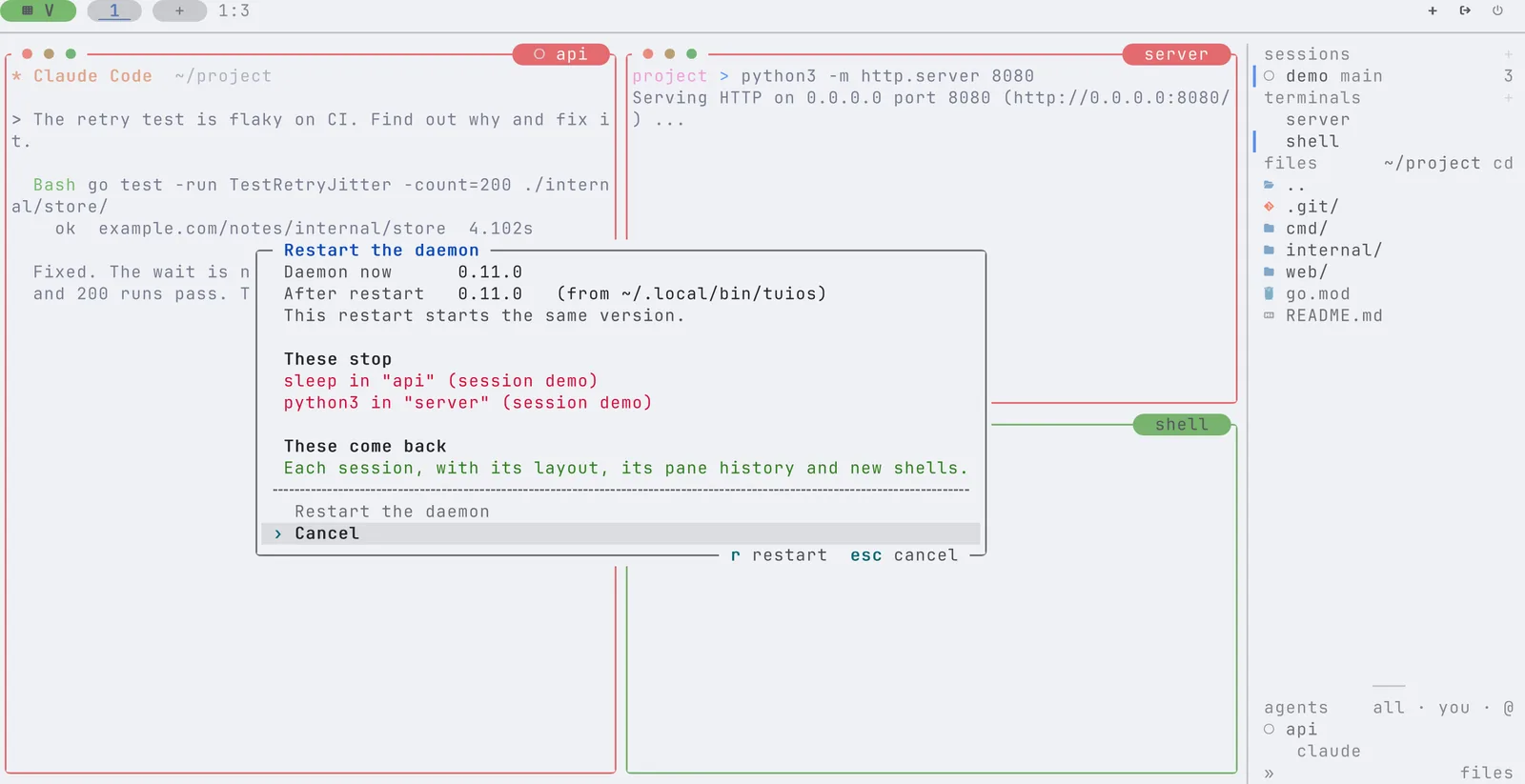
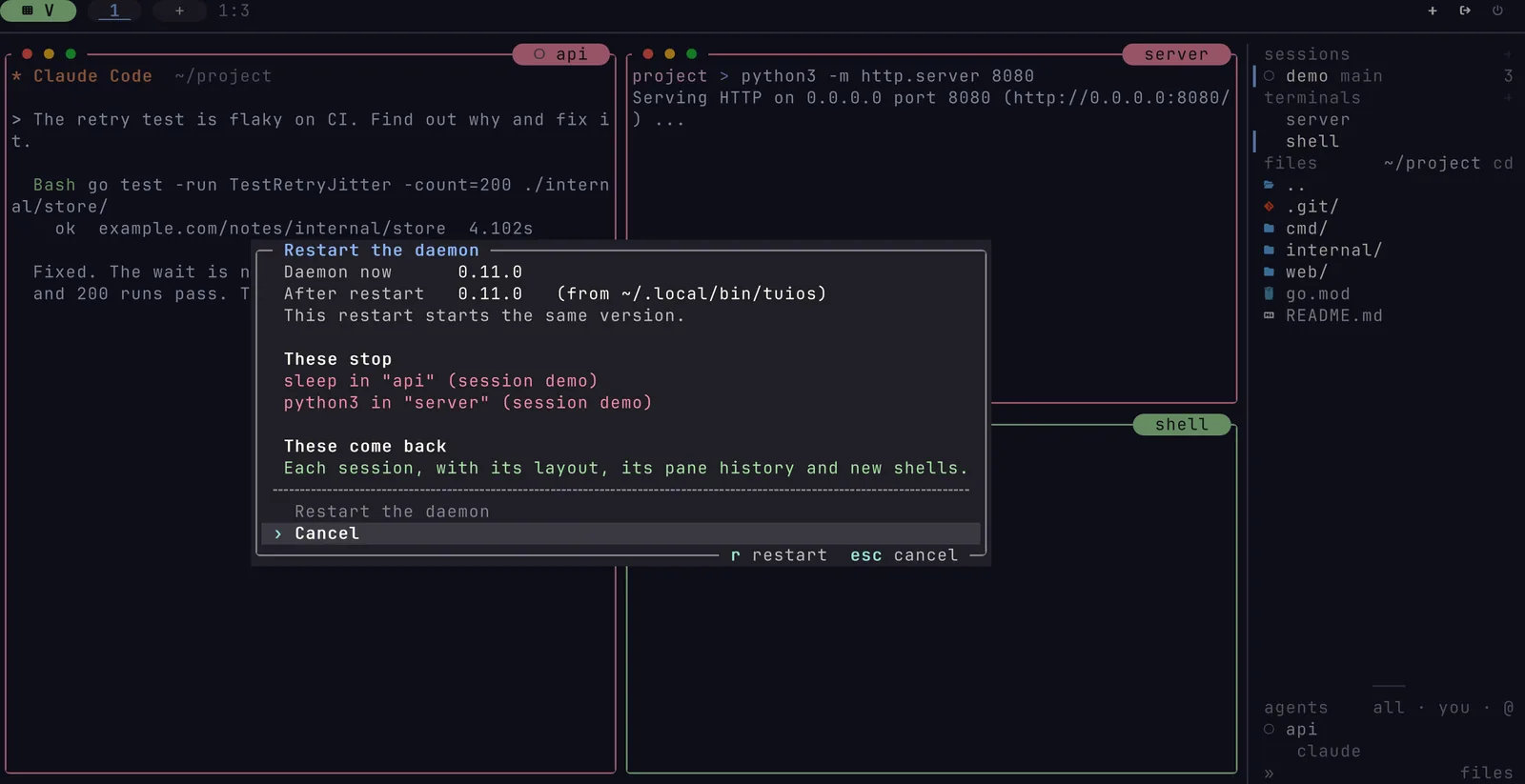
When the daemon runs a version other than your client, the dock says so, for example "The daemon runs 0.10.1. ctrl+b j restarts it." Click the notice, or press the key it names. Esc puts the notice off until the next start. These open the same dialog:
- The command palette entry "Restart the daemon".
- The row "Restart the daemon" at the top of the Daemon tab in the settings.
- The rail's menu for this machine.
The dialog shows the plan. Press r to restart, or Esc to cancel. The dialog then shows each step: stop the daemon, start the new one, attach again. tuios starts again on the new build, in the same session, and says "The daemon restarted on 0.11.0. Your session is back."
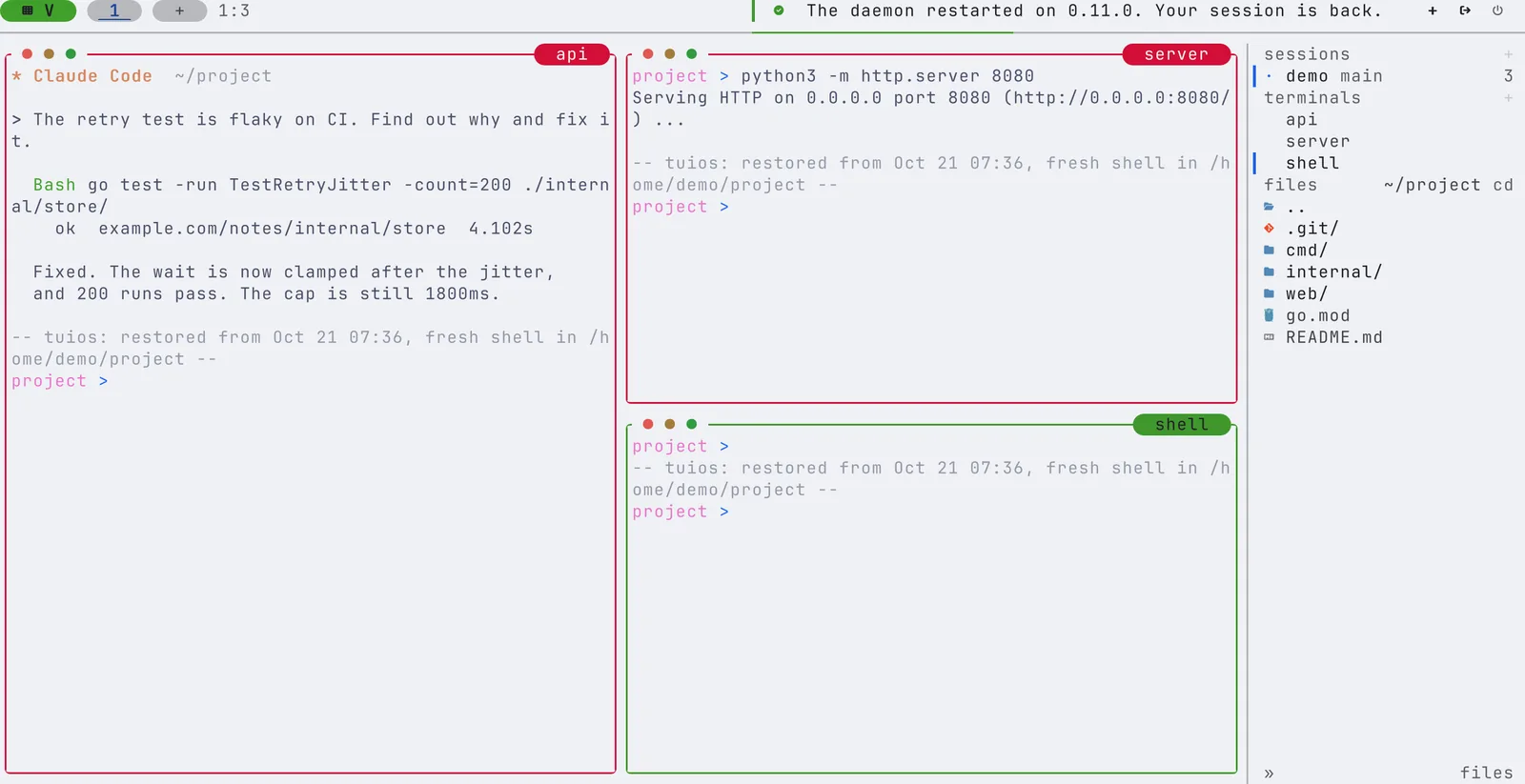
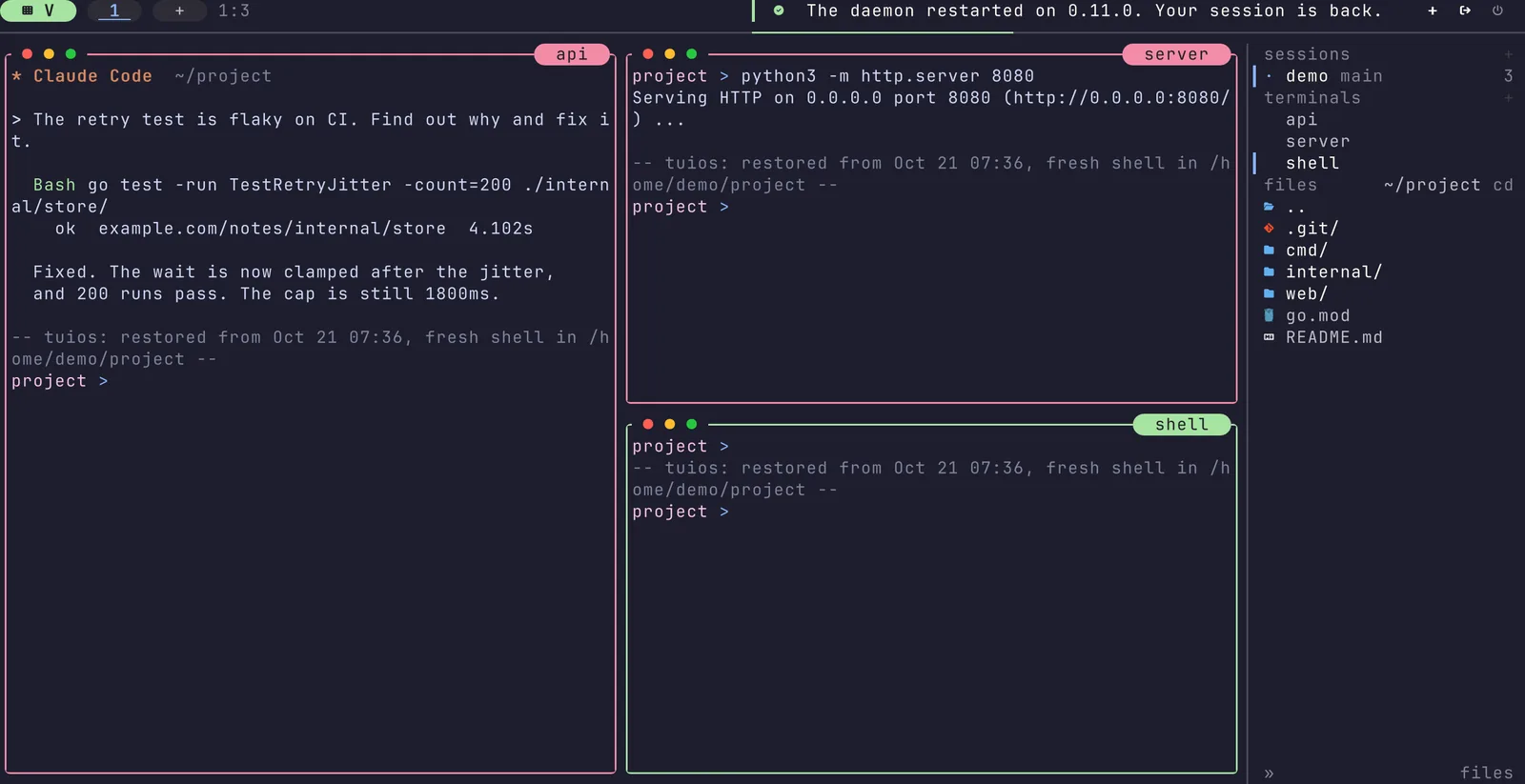
A program can start or stop after you read the plan. Then the restart does not run, and the dialog asks you to read the new plan. If your session did not come back, tuios does not attach to it. The dialog says so and points to tuios resurrect.
The action is restart_daemon. It has no default key. To bind one:
[keybindings.prefix_mode]
restart_daemon = ["alt+r"]
The action is only on a client on the daemon's own machine. Over tuios ssh or tuios-web, run tuios restart-server on the daemon's machine.
Other clients come back by themselves
Before it stops, the daemon tells each attached client why:
| The daemon stopped with | The client |
|---|---|
restart-server, the app, or kill-server --restart | Waits up to 15 seconds for the new daemon, then attaches to its session again and says "The daemon restarted. tuios reattached." |
A plain kill-server | Quits at once |
| Nothing: the daemon crashed | Waits up to 6 seconds for a new daemon |
While a client waits, the dock says "Waiting for the daemon. Keys are not sent." Keys you type then are dropped. The panes are new after a restart, so a held key could land in a different shell. Sometimes no daemon comes back, or the new daemon does not hold the session. Then the client quits with "The connection to the TUIOS daemon was lost."
Only a client on the same machine waits and reattaches. A client of a daemon older than v0.11.0 gets no reason, so it waits 6 seconds and then quits. Attach again after that.
Other machines
tuios hosts sync --restart installs your version on the machines in [hosts] and restarts each daemon the same way, so the clients attached there reattach too. See hosts sync.
From a script
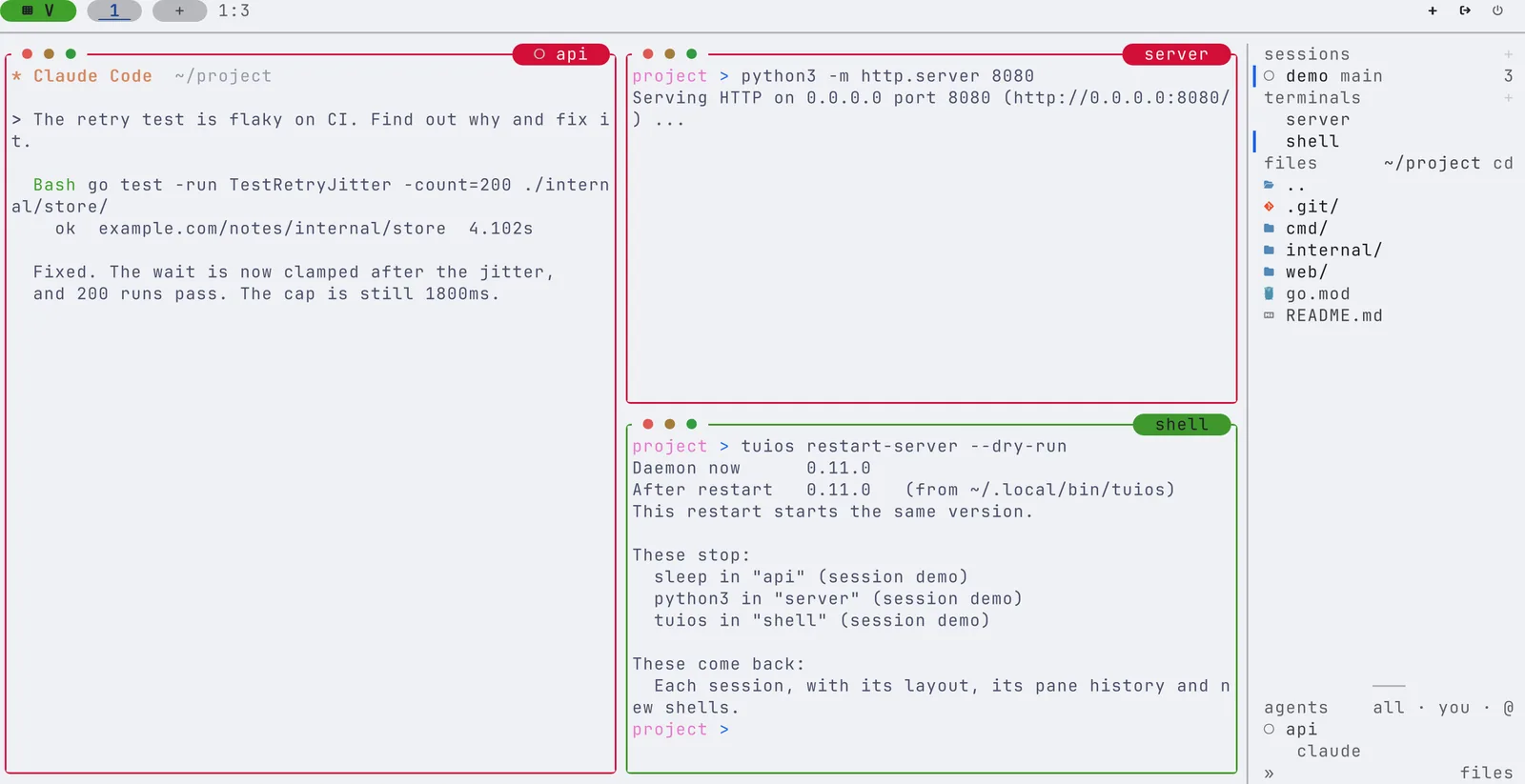
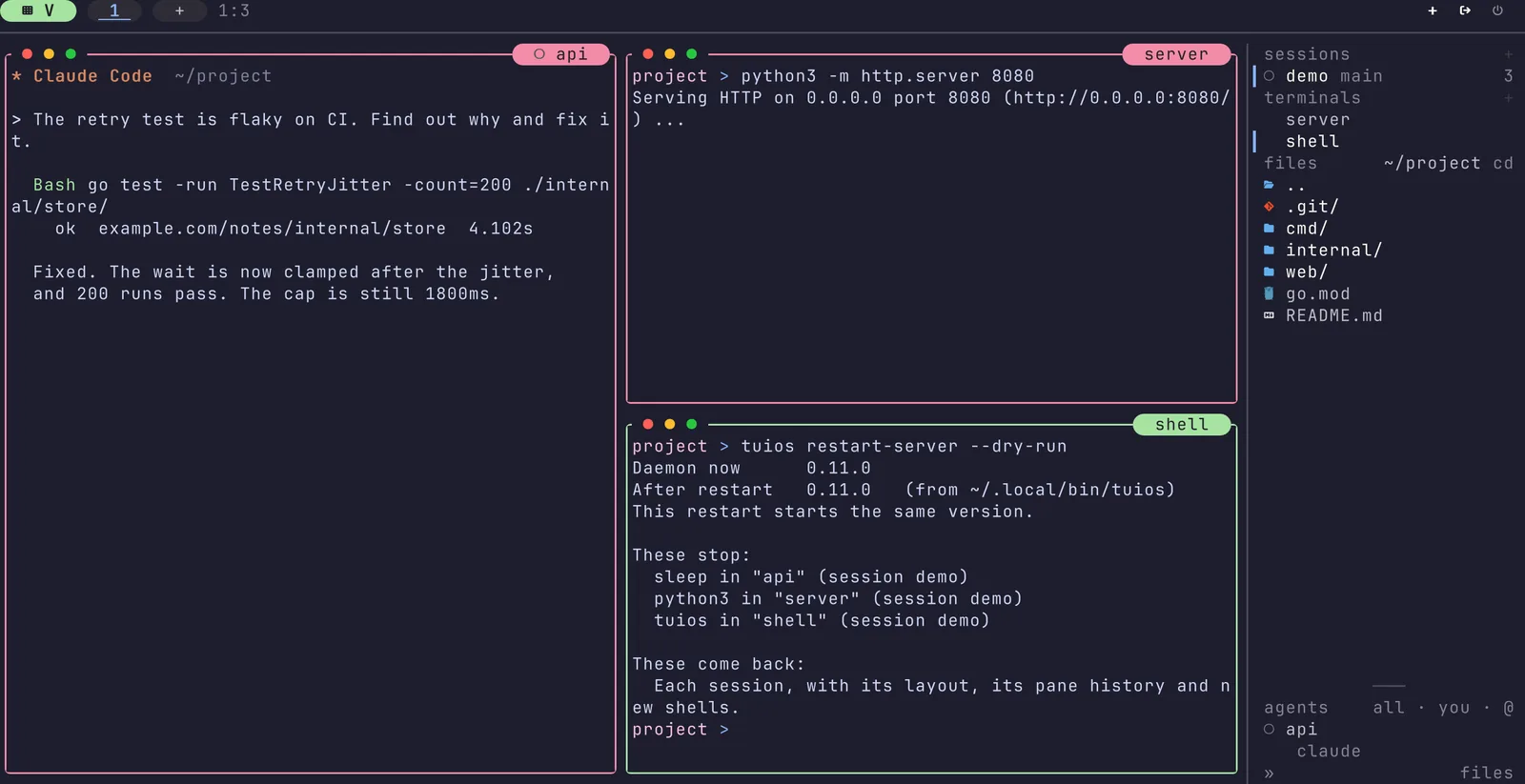
tuios restart-server --dry-run          # print the plan, change nothing
tuios restart-server --yes              # restart without a question
tuios restart-server --yes --json       # one JSON object per step
tuios restart-server --last # the steps of the last restart- Without a terminal to ask on, the command refuses unless you give
--yes.--jsonneeds--yes. --jsonwrites one object per line:plan, thenstopping,startinganddone.doneholdsrestarted,after,backandmissing. A failed step setserrorandfix, and the command exits1.--expect DIGESTrefuses the restart unless the plan has that digest. The app passes the digest of the plan you agreed to.- When no daemon runs, the command starts one.
The stop and the start run in a process of their own, in a session of its own. So a restart still finishes when you start it from a pane of the daemon it stops. Each step goes to restart.log beside the daemon log. One restart runs at a time. A second one refuses with "Another restart of the daemon is running."
| Error | What to do |
|---|---|
| "The daemon did not stop. It still runs version X." | Run tuios kill-server to see why. |
| "The daemon did not start." | Run tuios start-server to see why. The sessions come back when the daemon starts. |
| "The daemon started and did not answer." | Run tuios ls to check it, or tuios logs. |
| "Another restart of the daemon is running." | Wait for it to end. tuios restart-server --last shows its steps. |
| "The restart stopped before it finished." | Run tuios restart-server --last, then tuios ls. |
How do I
- Move to a new build after
tuios update? Runtuios restart-server, or click the version notice in the app. - See what a restart would stop, without a restart? Run
tuios restart-server --dry-run. - Restart from a deploy script? Run
tuios restart-server --yes --jsonand read thedoneline. - Stop the daemon and keep the clients from waiting? Run
tuios kill-server. The clients quit at once. - Start with no sessions at all? Run
tuios kill-server, thentuios daemon --no-restore.