
progstatus
A Go package for the Program Status Protocol, OSC 7501. Write a report from a program, or read reports in a terminal.
tuios.dev/progstatus is a Go package for the Program Status Protocol, OSC 7501. A program writes one escape sequence to say what it does: idle, working, done, blocked or error. A terminal reads the sequence and shows the state. tuios uses this package for its program status support.
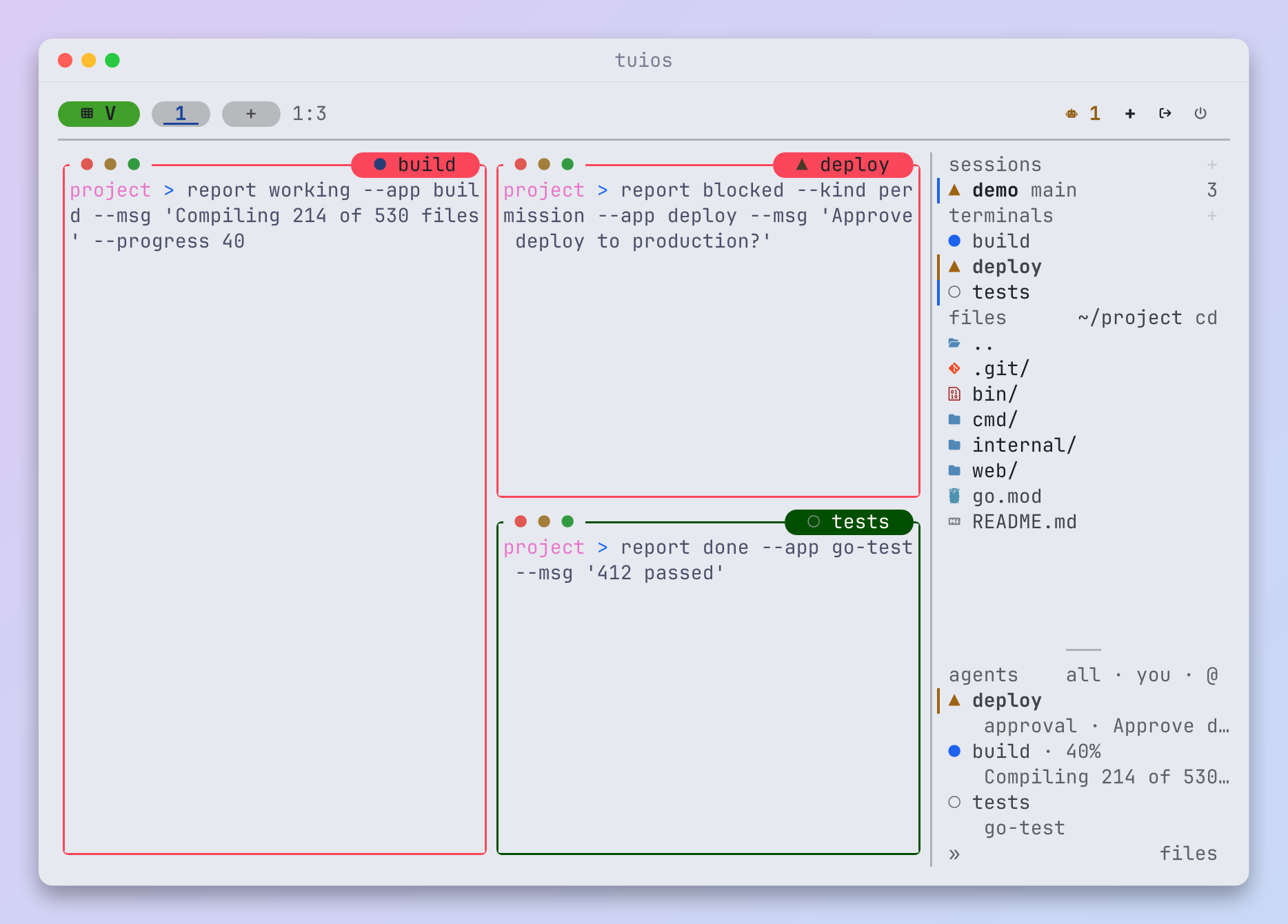
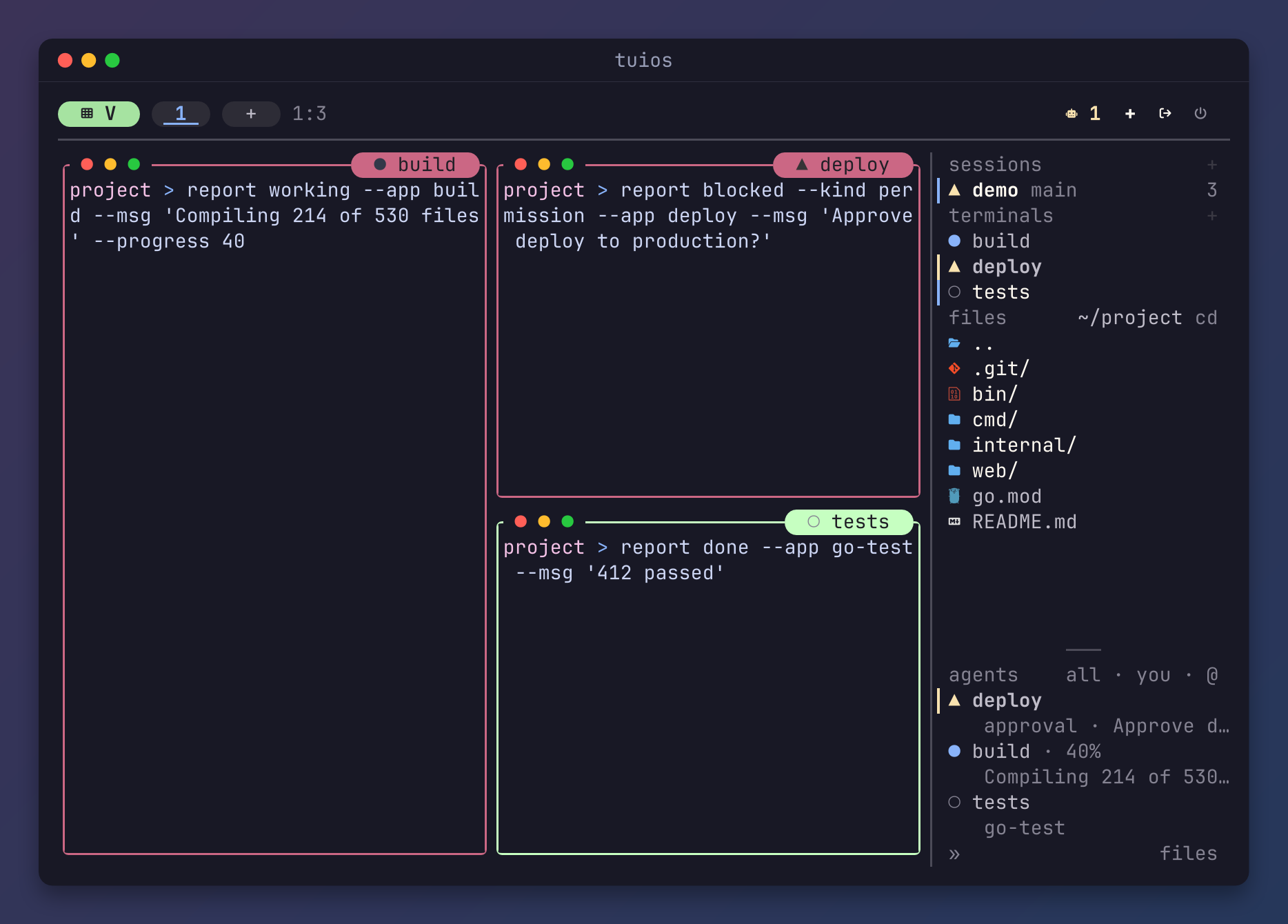
Each pane runs a program that sent one report with tuios status, which writes the sequence with this package. tuios read each report with the parser and the store of this package, and shows it in the rail and the pane title.
go get tuios.dev/progstatusThe package uses only the standard library. It follows revision 0.2 of the specification. The API reference is on pkg.go.dev.
What is in it
- The parser. It applies every discard rule of the specification before it returns a report.
- The record store. It has the limits, the eviction, the id hierarchy and the lifetime rules.
- The summary rule. It picks the record that a pane shows.
- The encoder. A program uses it to write a report.
Write a report from a program
package main

import (
	"os"

	"tuios.dev/progstatus"
)

func main() {
	tty, err := os.OpenFile("/dev/tty", os.O_WRONLY, 0)
	if err != nil {
		return // no terminal: nothing to report to
	}
	defer tty.Close()

	tty.WriteString(progstatus.Sequence(progstatus.Report{
		State:    progstatus.Working,
		App:      "build",
		Msg:      "Compiling",
		Progress: 40,
	}))
}
Write the sequence to /dev/tty. Then the report reaches the terminal when the output of the program goes to a file or a pipe.
A terminal discards a report that breaks a rule, such as a message that is too long. Use FitText for free text and FitSegment for an id or an app name that comes from outside input.
seq := progstatus.Sequence(progstatus.Report{
	State:    progstatus.Working,
	ID:       progstatus.FitSegment(branch, progstatus.MaxSegment),
	Msg:      progstatus.FitText(line, progstatus.MaxMsgDecoded),
	Progress: progstatus.NoProgress,
})
Read reports in a terminal
Give Parse the bytes after 7501; and the length of the whole sequence. Store each report that it accepts.
var store progstatus.Store

func onOSC7501(body []byte, seqLen int, reply func(string)) {
	if progstatus.IsQuery(body) {
		reply(progstatus.QueryReply + "\x1b\\") // use the terminator of the query
		return
	}
	report, ok := progstatus.Parse(body, seqLen)
	if !ok {
		return // discarded: apply nothing
	}
	store.Apply(report, time.Now().UnixNano())
}

func paneStatus() (progstatus.Record, bool) {
	return progstatus.Summary(store.Records())
}
Three reports through the encoder, the parser and the store, and the record that Summary picks for the pane:
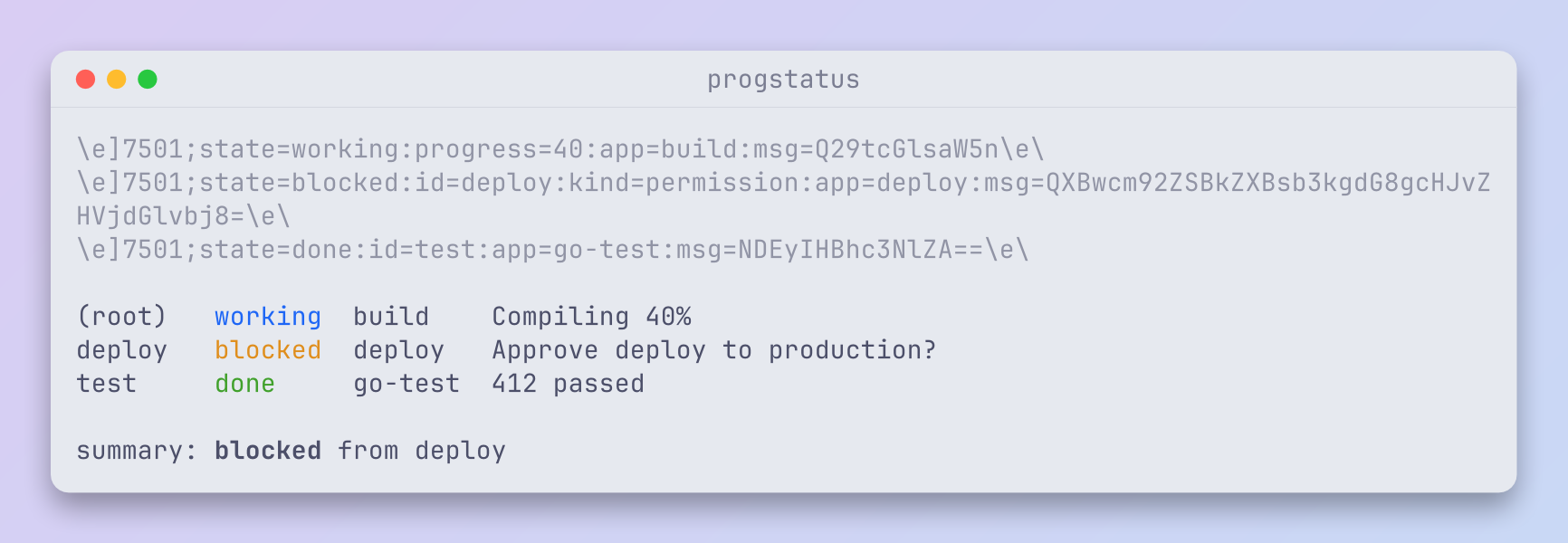
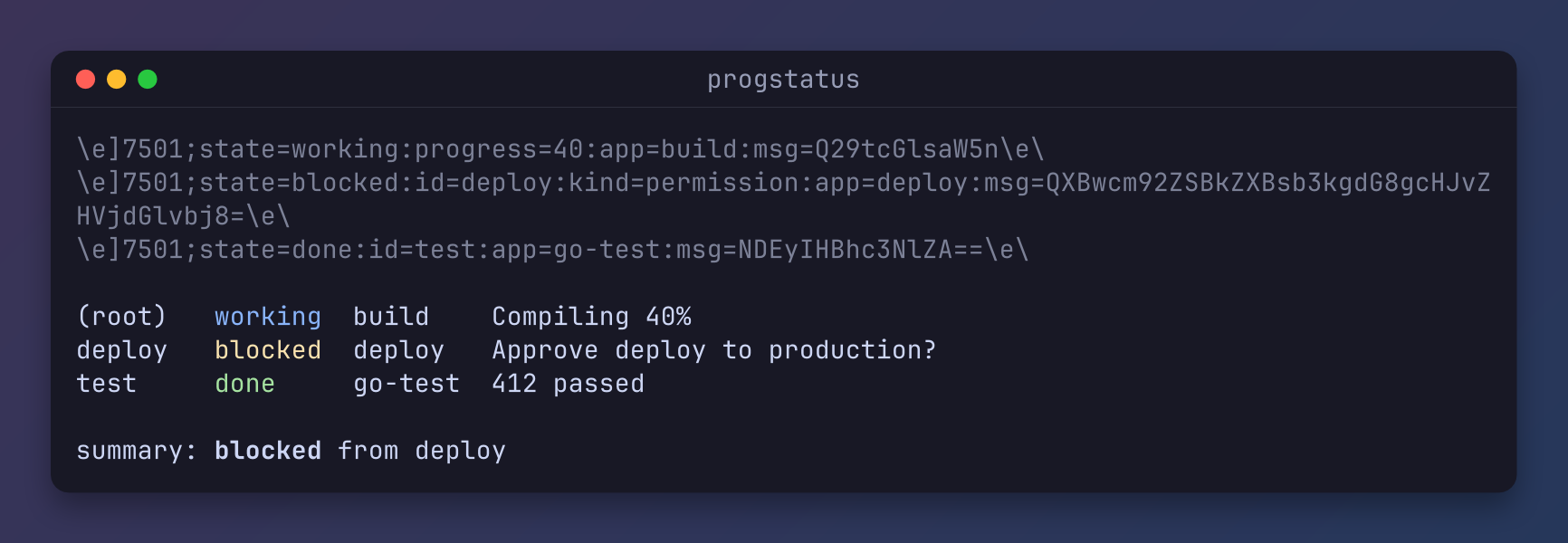
SequenceLen gives the length of a sequence from the length of its payload. Call Store.DropTransient when a shell prompt appears (OSC 133 A) or the process exits. Call Store.Reset on a full reset (RIS).
How do I
- Report from a shell script? Run
tuios status, which writes the same sequence. It needs no daemon. - Report progress? Set
Progressfrom 0 to 100 on aWorkingorBlockedreport. UseNoProgressfor none. - Report several tasks? Give each one an
ID, such asbuildandbuild/test. The ids make a tree under the root record. - Clear a record? Send a report with
State: progstatus.Clearand itsID. - Show one state for a pane? Call
Summary(store.Records()).
API overview
| Name | Does |
|---|---|
Report, Sequence | Write a report. |
FitText, FitSegment | Cut outside input to the limits. |
Parse, IsQuery | Read a sequence, with every discard rule. |
Store, Record | The records of one terminal. |
Summary | The record that a pane shows. |
Where it fits
- vt parses OSC 7501 with this package, so every tuios pane reads reports.
tuios statuswrites reports with it. tuios shows them in the rail, the Inbox and the pane title. See Program Status.
Versions
The module is at v0. The API can change between minor versions. Its tags have the folder name as a prefix, such as progstatus/v0.1.0. The source is in the progstatus folder of the tuios repository, under the MIT licence.
Go libraries
Parts of tuios that you can use in your own Go programs, each a Go module of its own under a tuios.dev import path.
vt
A terminal emulator in Go. Feed it what a program prints, and read the screen, the scrollback and the modes.
tuios lives only at tuios.dev and github.com/Gaurav-Gosain/tuios. tuios has no X or Twitter account. An account that offers a tuios token or presale is not this project.