
Introduction
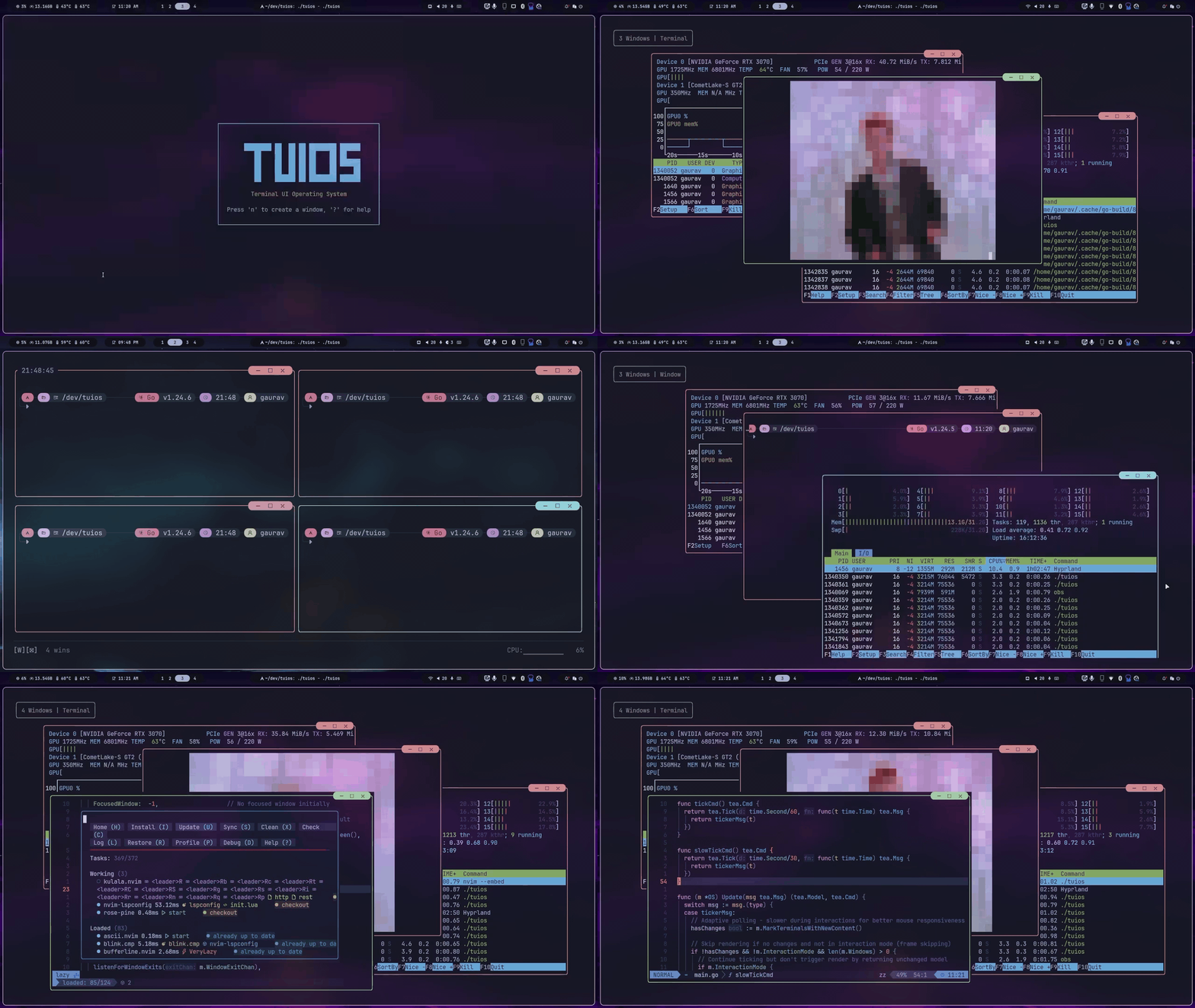
TUIOS is a terminal multiplexer and window manager with workspaces, tiling, persistent sessions and a vim-style modal interface.
TUIOS (Terminal UI Operating System) runs many shells inside one terminal. Each shell gets its own window. You arrange windows with tiling or by hand, group them into nine workspaces, and detach and come back later without losing anything.
Install
brew install tuiosyay -S tuios-bincurl -fsSL https://raw.githubusercontent.com/Gaurav-Gosain/tuios/main/install.sh | bashgo install github.com/Gaurav-Gosain/tuios/cmd/tuios@latestNix, Docker, release binaries and building from source are covered in Getting Started.
Run it
tuiosPress n to open a window, i to type in it, and Alt+Esc to get back to window management. Ctrl+P opens the command palette, which lists every command. Getting Started walks through the rest.
tuios starts a background daemon and attaches to a session in it. Close the terminal and the session keeps running. Run tuios again to get it back.
What you get
Windows and layout
- Two modes, modelled on vim: window management mode for arranging windows, terminal mode for typing into one.
- BSP tiling by default, with explicit splits, preselection, swapping and resizing. Master-stack and a niri-style scrolling layout are one palette command away.
- Nine workspaces, zoom, minimize, layout templates and optional shared borders.
- A command palette (Ctrl+P) and an app launcher (Alt+Space).
Sessions
- A daemon owns the shells, so detaching costs nothing and several terminals can attach to one session at once.
- Window layout and working directories come back after a daemon restart or a reboot. Running programs and scrollback do not. See Sessions.
- Sessions and single panes can live on other machines, reached over ssh.
Scripting
- A JSON control protocol on the daemon socket, with blocking waits and an event stream.
- CLI commands for the same things:
send-text,capture-pane,wait-for,new-windowand more. - Tape scripts to record and replay workflows, and hooks that run shell commands on window, session and agent events.
- Panes that run coding agents report whether the agent is working, idle or waiting for you.
Terminal
- Vim-style copy mode over 10,000 lines of scrollback per window, plus mouse wheel scrolling and selection.
- Kitty graphics (including
mpv --vo=kittyvideo), sixel passthrough, the kitty keyboard protocol and synchronized output. - 342 built-in themes with a live picker, and an in-app settings page.
Remote access
tuios sshserves TUIOS over SSH with public key authentication.tuios-web, a separate binary, serves it to a browser. See Web Terminal.
Where to go next
Getting Started
Install, first session, and the keys you need on day one
Keybindings
Every default key, and how to change them
Configuration
The config file, themes and the settings page
Sessions
Detach, reattach, and what survives a restart
BSP Tiling
Splits, preselection, resizing and layout modes
Control Protocol
Drive the daemon from scripts and programs
Community
- Source, issues and discussions: Gaurav-Gosain/tuios on GitHub.
- License: MIT.