
loom
Draw TML documents into terminal cells. Flex layout, theme roles at every colour depth, redraws of only what a patch changed, and local keys and clicks.
tuios.dev/loom draws TML documents. You give it a document and a size. It gives you a cell buffer, which renders to ANSI text or to plain text. Charts come from plot.
go get tuios.dev/loomThe API reference is on pkg.go.dev.
tuios does not show TML surfaces yet. The tuios commands, popups and panes that use loom come in a later release.
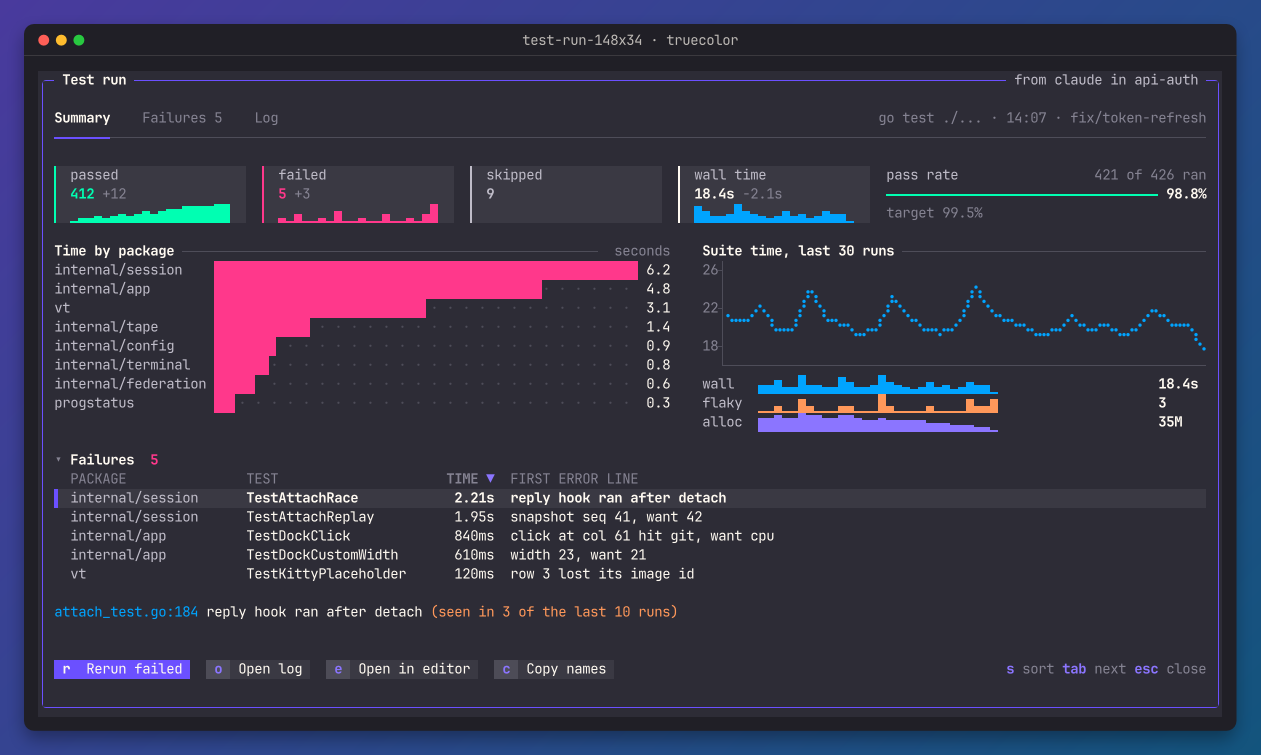
Draw a document
doc, _, err := tml.Check(src, nil)
if err != nil {
	return err
}
s, err := loom.New(doc, &loom.Options{Palette: loom.DefaultPalette(loom.Color256)})
if err != nil {
	return err
}
buf := s.Render(80, 24)
fmt.Print(buf.Render()) // ANSI text; buf.String() gives plain text
The buffer belongs to the surface. The next Render reuses it.
Components
| Group | Components |
|---|---|
| Layout | row, col, grid, stack, spacer, scroll, split |
| Text | text with b, i, u, s, code, c, kbd and a; heading; code |
| Data | table (sort, select, scroll), list, kv, stat, tree |
| Charts | bar, line, area, sparkline, gauge, progress, histogram, heatmap, pie |
| Containers | card, tabs, modal, toast |
| Status | badge, status, spinner, button |
Form fields show their label and value. Editing comes in a later release. markdown, diff and mermaid show their source. image shows its alt text. Columns and areas get an axis when they have room. A line with several series shows a legend beside its title.
Layout
The layout works like flex boxes for cells.
wandhtake cells, a percentage,fillorfill:N.min-w,max-w,min-h,max-h,pad,gap,grow,alignandjustifywork as their names say.- When a column is too short, tables, lists, text, cards and tabs give rows back first.
- A box never draws outside its parent.
A binding can read view.width, view.height and view.band. The band is narrow below 72 cells, medium below 120 and wide from 120. Use it to change the layout with the width:
<row gap="2" if="view.band == 'wide'">...</row>
<row gap="3" if="view.band != 'wide'">...</row>
Colour
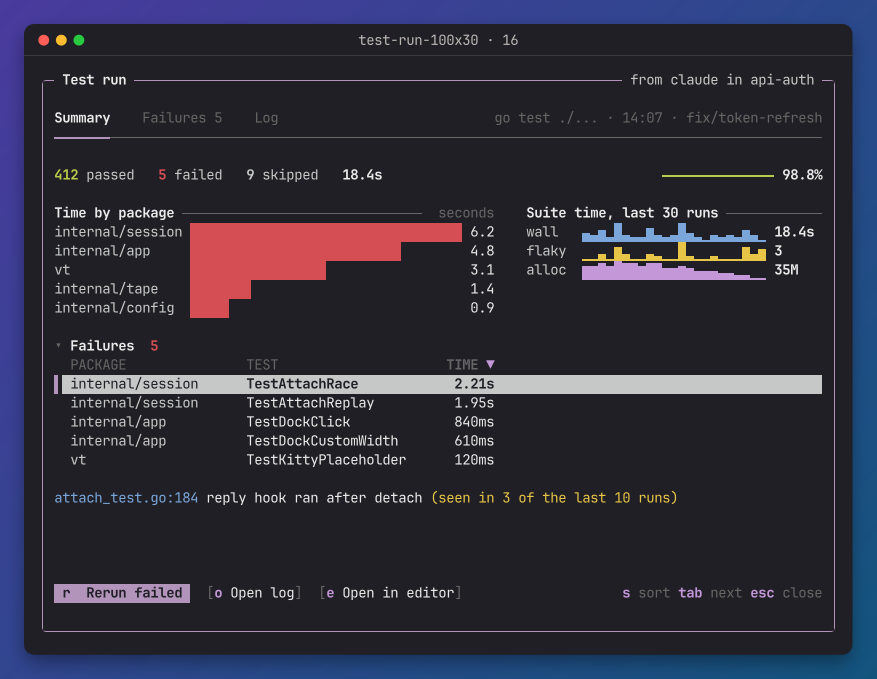
Every colour is a role, such as success, mute or series2. You give the surface a palette at the depth of the terminal: TrueColor, Color256, Color16 or ASCII. DefaultPalette gives the tuios palette at each depth. NewPalette builds one from your theme.
At 16 colours there are no grounds. The cursor row and a primary button use reverse video. In ASCII, loom also draws its own marks in ASCII.
Updates
The surface keeps its tree between frames.
- A state patch marks only the boxes whose bindings read the changed paths.
- The next
Renderevaluates those boxes again, and repaints only the area that changed.Damagereturns the rectangles repainted since its last call, including renders that input caused. - A
Renderwith nothing changed does no work.
err := s.Patch(ops)   // a JSON Patch from the owner
err = s.Set("state.cpu", 43)
buf := s.Render(80, 24)
On a 200-row table at 200 by 55 cells, a full render takes about 0.6 ms. The redraw after a patch to one binding takes about 15 µs.
Input
Key and Mouse take input. Tabs, sorting, the cursor, folding, scrolling, set and toggle run at once, with no round trip to the owner. emit, close, copy, open and pane come back to your program as Effects:
res, err := s.Key("r")
for _, e := range res.Effects {
	if e.Action == "emit" {
		send(e.Name, e.Value) // to the owner of the surface
	}
}- A button's
keyworks from anywhere on the surface. tabandshift+tabmove the focus.- The focused table or list takes the arrow keys,
enter, andsto sort by the next column. - A click opens a tab, sorts a column, moves the cursor, folds a card or presses a button. The wheel scrolls. A drag moves a split.
Limits
- loom draws any tree, valid or not, at any size up to 4096 by 4096 cells, without a panic. Layout measures each box once per width, so deep nesting stays cheap.
- Every number that sizes something, such as
bins, is clamped to its range. NaN and infinities take the default. - It drops control characters at the cell.
- The store comes from
tml.StoreFor, so a patch cannot groweach,listor the rows past the document limits. - One frame has a budget of 1,000,000 expression steps. Each box gets an equal share: 1,000,000 divided by the most boxes the document can build (its components, plus its each limit when it repeats anything), and at least 100 steps. The share depends only on the document, so a box shows the same values in a full render and when it is built again alone, and the bindings of a frame never spend more than the budget. A table's column sampling and its rows in view each get one more share.
Links and time
- A click on a link comes back as a
linkeffect. Your program asks the person, then opens it. loom writes no OSC 8 link unless you setOptions.Hyperlinks. - A binding that calls
ago()changes with the clock. WhenNeedsClock()is true, callTick()about once a minute. Only those boxes are evaluated again.
The package imports tml, plot, ultraviolet and charmbracelet/x/ansi. It imports no tuios package.
tml
The TML language as a Go library. Parse, print and validate documents for terminal surfaces, evaluate their bindings, run local actions and apply JSON Patch to their state.
plot
Bar, line, area, sparkline, gauge, histogram, heatmap and pie charts as terminal cells, in braille, block elements or ASCII, with theme roles in place of colours.