
sketch
Mermaid diagrams as SVG, PNG and box-drawing text, in pure Go. A port of pele by kepano.
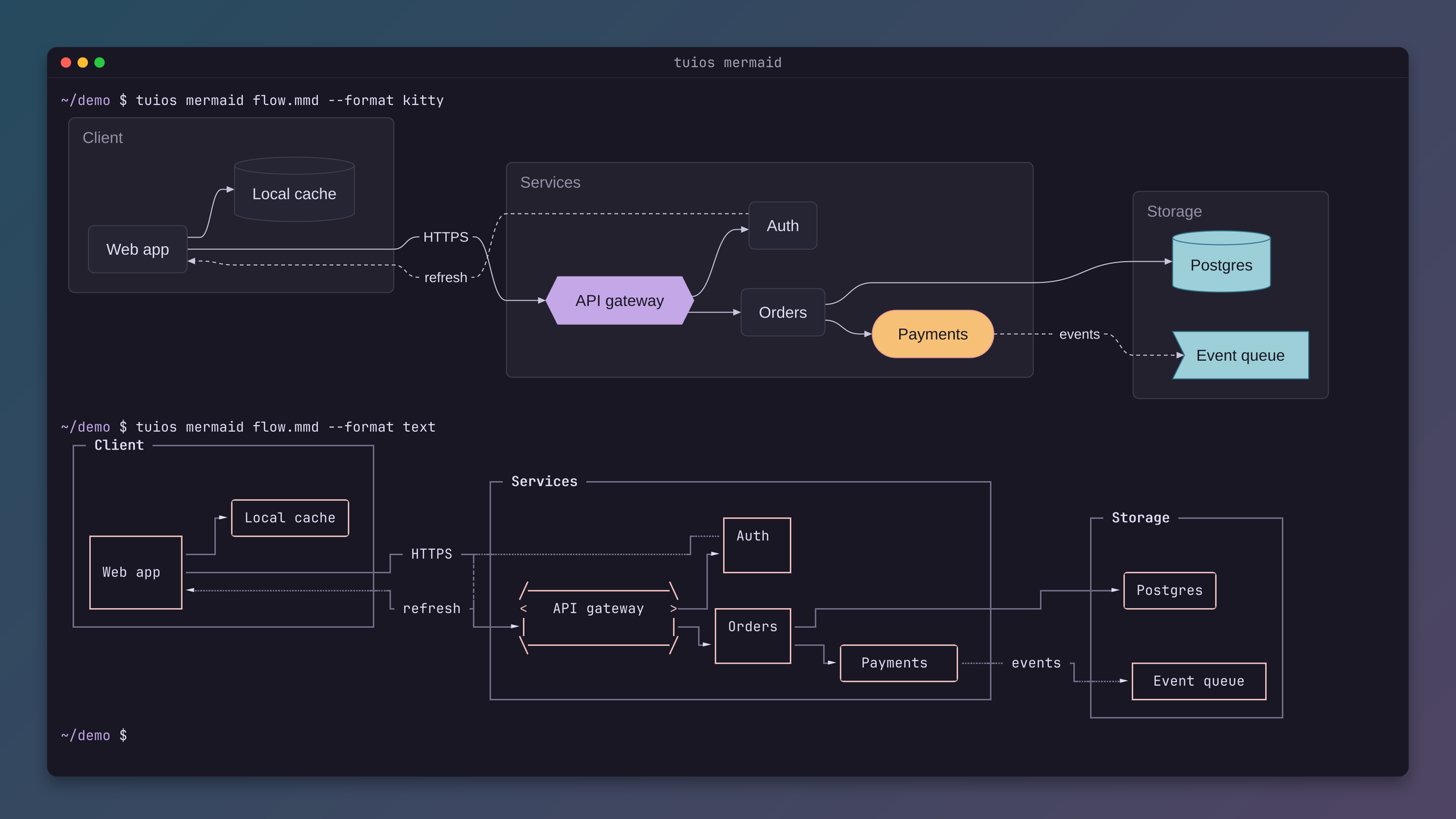
tuios.dev/sketch draws Mermaid diagrams in pure Go. It writes SVG, and its two packages turn a diagram into a picture (sketch/raster) or into box-drawing text for a terminal (sketch/text). It needs no browser, no JavaScript runtime and no cgo.
go get tuios.dev/sketchThe API reference is on pkg.go.dev.
Credit
sketch is a port of pele, the Mermaid renderer by kepano of Obsidian. pele is under the MIT licence, and so is the port. The port follows pele v1.6.0 (commit 458322a). Each Go file is the port of one pele file and keeps its names and comments, so a change upstream maps to a change in sketch. The pele layout, the shapes, the themes and the timing of the typing demo are pele's work.
The pictures use subsets of Arimo (SIL Open Font License 1.1) and Go Mono. The licence notices are in sketch/LICENSE and sketch/raster/fonts/NOTICE.
Diagram types
| Type | pele's own SVG, byte for byte |
|---|---|
| flowchart | 114 of 114 |
| sequence | 38 of 38 |
| state | 22 of 22 |
| class | 38 of 38 |
| ER | 25 of 25 |
| pie | 2 of 2 |
| mindmap | 13 of 13 |
| gantt | 11 of 11 |
The test suite draws each source of the pele documentation corpus and compares the result with the SVG that pele drew from it. Every diagram of these eight types matches. Another type gives an error with the code unsupported-diagram.
sketch/text draws flowcharts and sequence diagrams.
Draw a diagram
svg, err := sketch.Render("flowchart LR\n  A --> B\n", sketch.RenderOptions{})
if err != nil {
	// err is a *sketch.Error with a code: syntax, semantic, limit or unsupported-diagram.
}
os.WriteFile("out.svg", []byte(svg.Data), 0o644)
A picture:
th, _ := sketch.ThemeNamed("flexoki")
img, err := raster.Draw(svg.Data, raster.Options{Scale: 2, Theme: th, Background: true})
Text, for a terminal with no pictures:
d, _ := sketch.Parse(src, sketch.ParseOptions{})
lines, err := text.Draw(d, text.Options{Cols: 100})
text.ErrTooWide says that the drawing does not fit in the columns. Before it gives up, the package asks for a narrower layout, which turns a flowchart that runs across into one that runs down.
Themes
pele takes its colours from the page. sketch keeps that in --pele-* tokens, and sketch.Themes() lists named sets of them:
| Theme | From |
|---|---|
pele | pele's own colours |
flexoki, flexoki-dark | The pele.run site, light and dark |
nord, everforest, gruvbox, rose-pine | pele's launch video |
catppuccin-mocha, catppuccin-latte, tokyo-night, dracula, solarized-light, kanagawa | Those terminal themes |
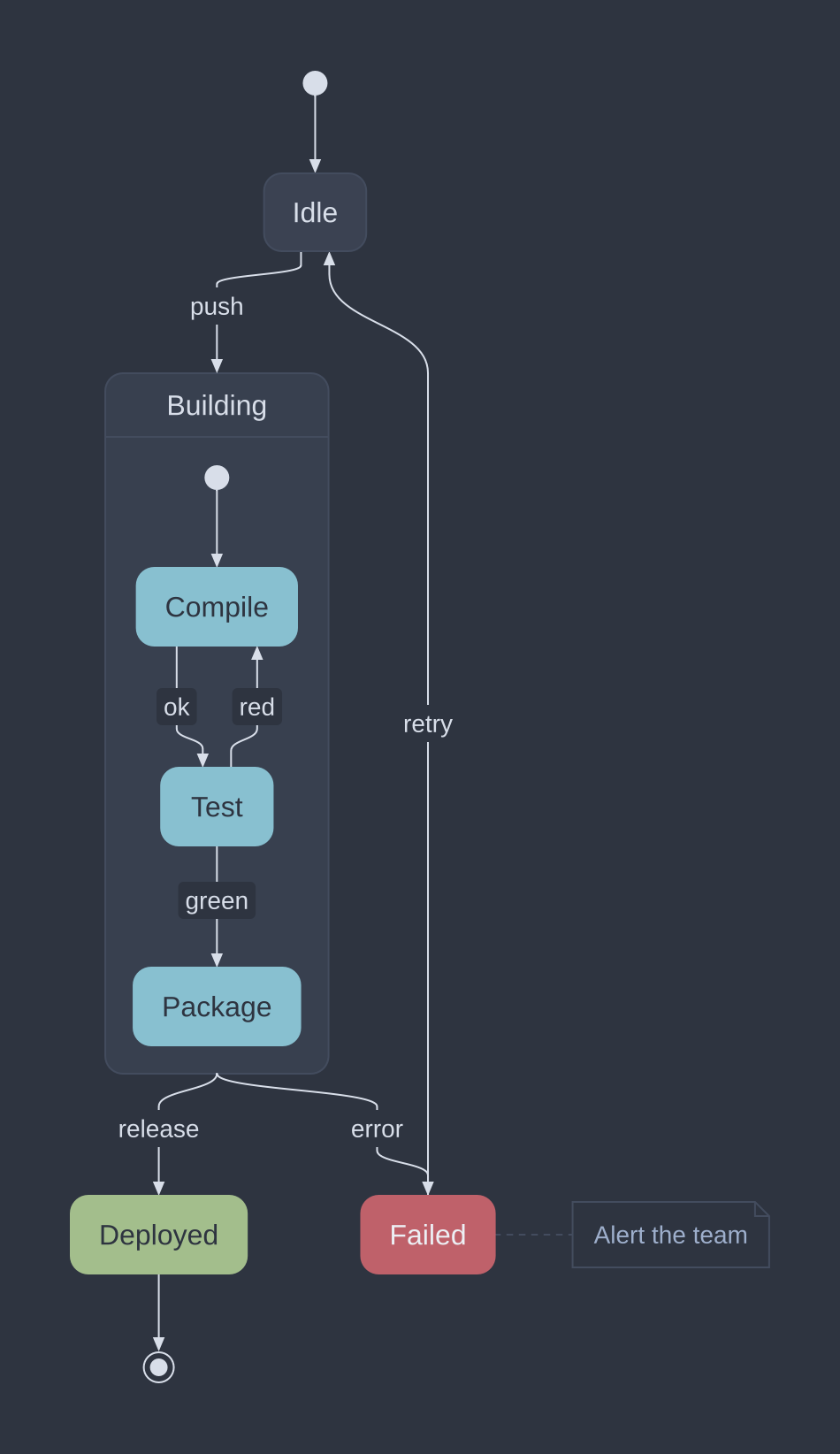
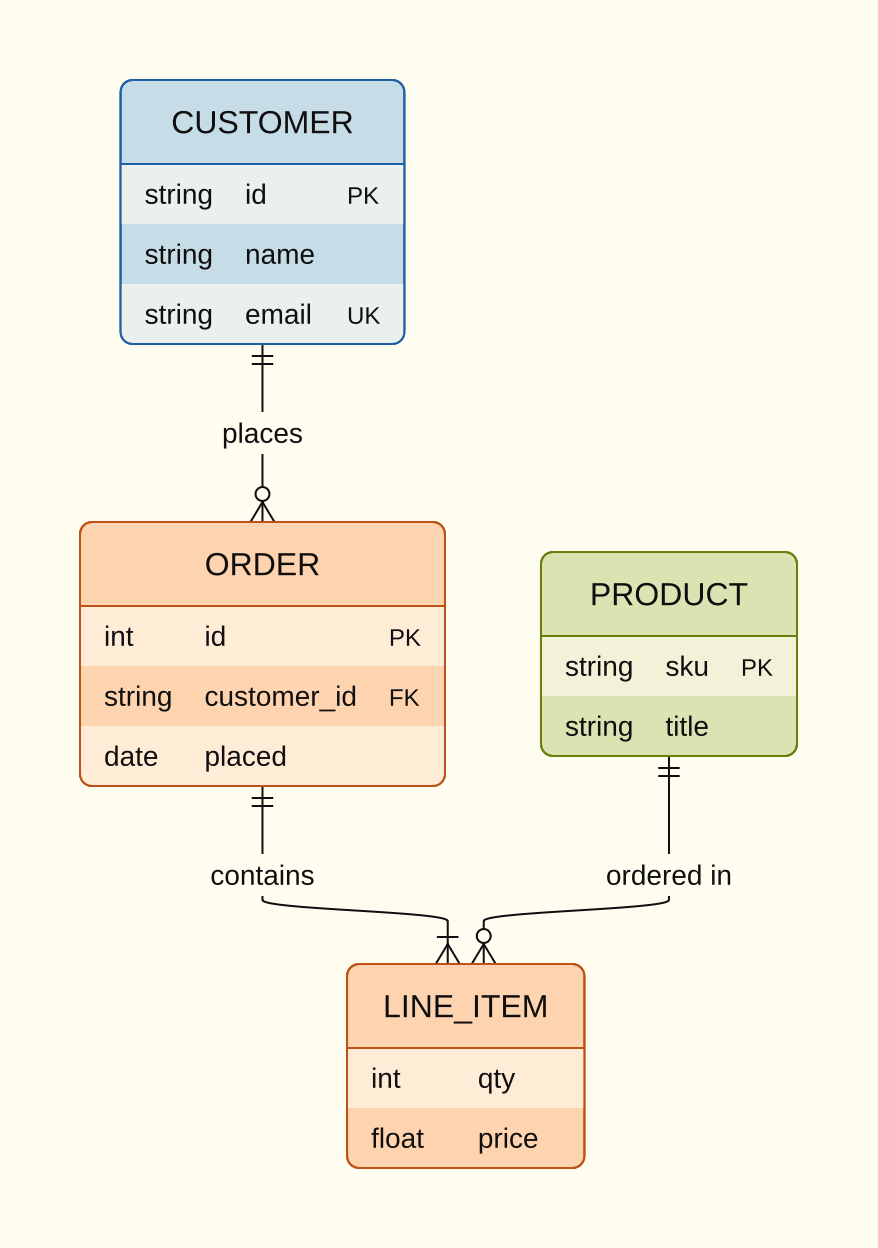
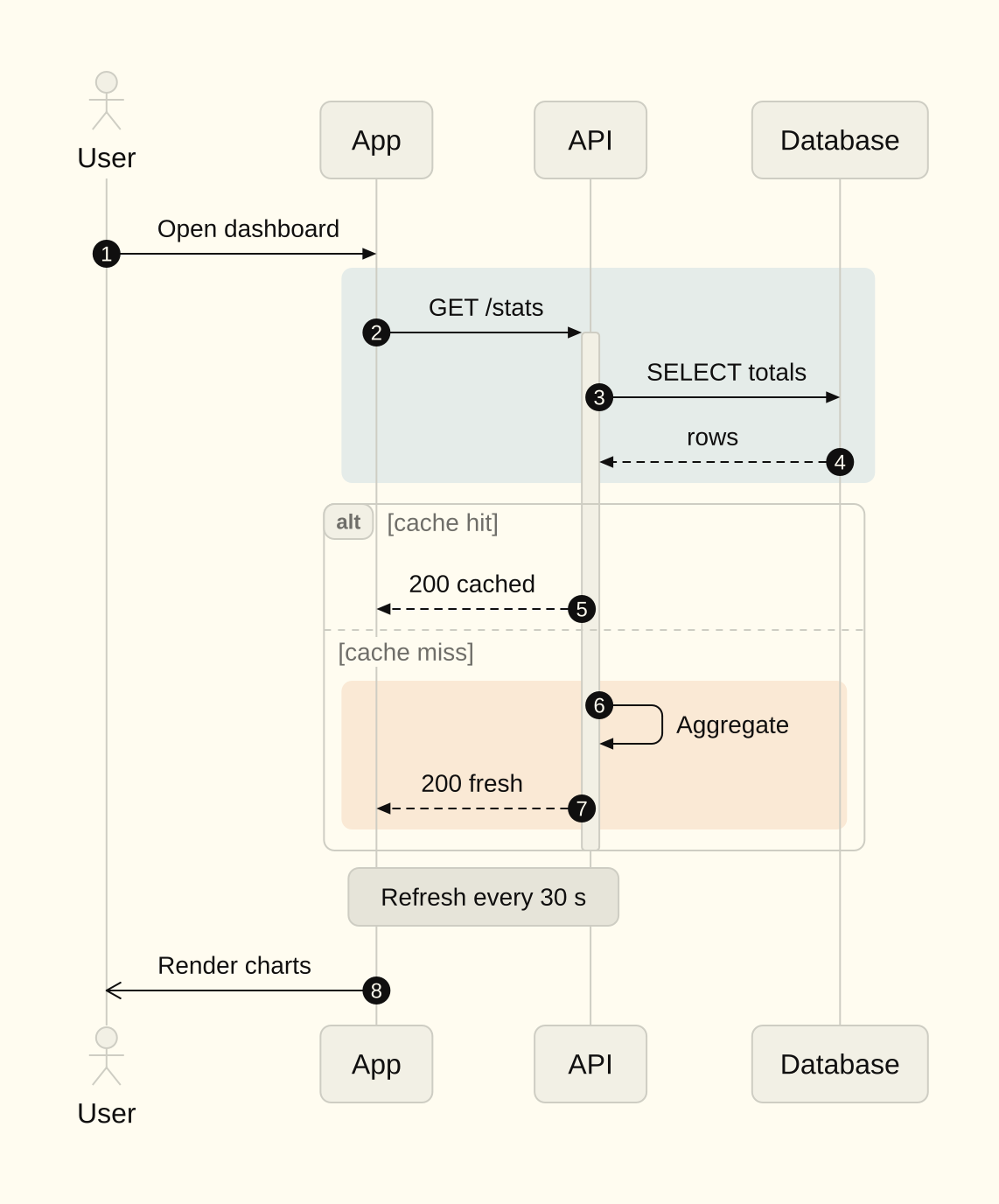
With raster.Options.Readable, text in a theme colour that sits on a fill the diagram sets itself changes to the theme's text or background colour, where that reads better.
Limits
The limits of pele apply. A source can have 50,000 characters, a flowchart 5,000 edges, and the SVG 4,000,000 characters. A host can set lower limits in RenderOptions. sketch/raster has its own pixel and work budgets, so hostile markup cannot run for long. Each package has fuzz targets.
Speed
Measured on one machine against pele under Node 24, warm, on the 152 flowchart and sequence sources of the corpus: the median render takes 21.8 µs in sketch and 43.6 µs in pele. A new process that draws one diagram takes about 2 ms with sketch and about 60 ms with pele.
tuios mermaid
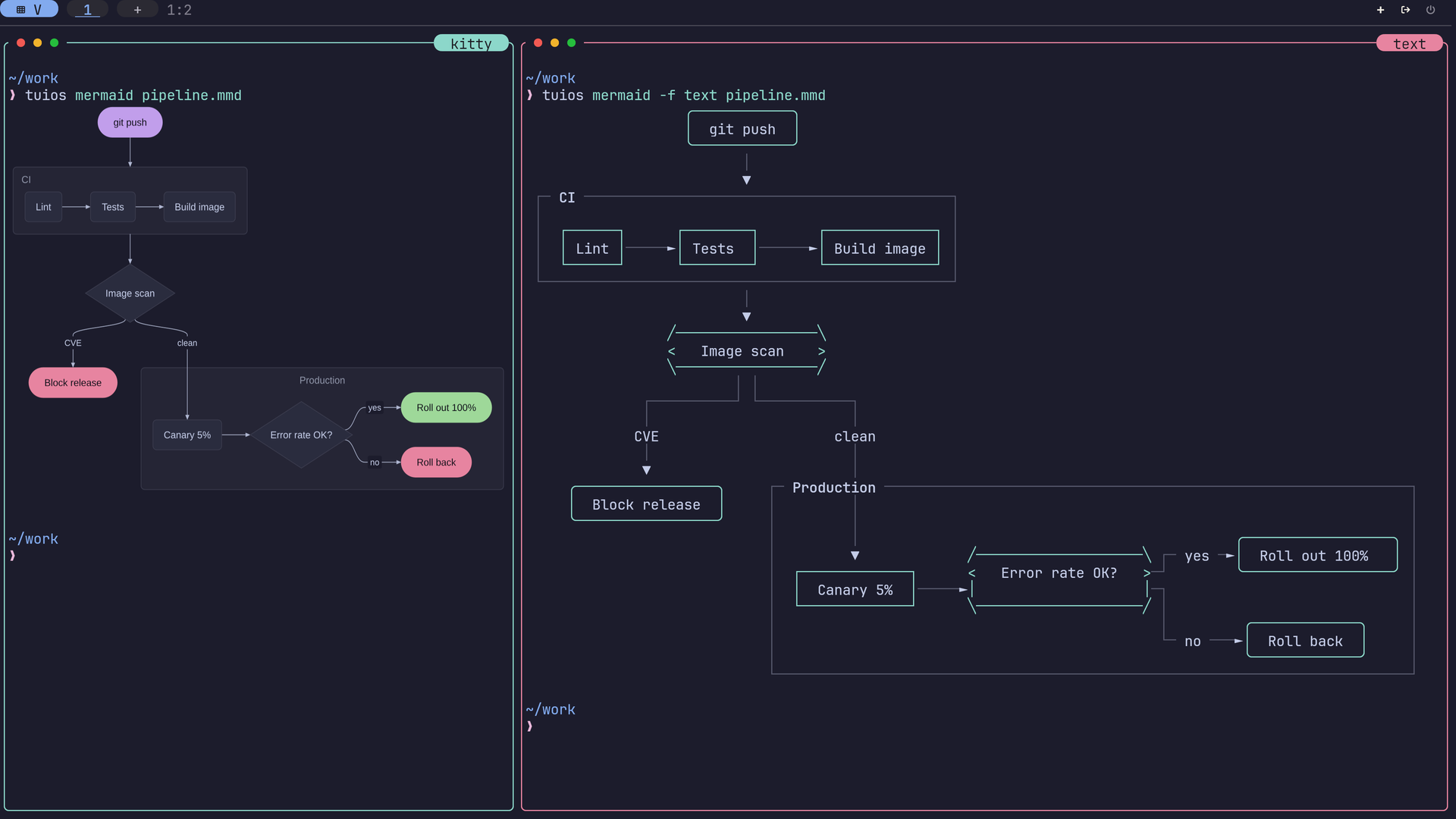
tuios mermaid draws the Mermaid diagrams of a file with sketch.
tuios mermaid flow.mmd                    # draw it here
tuios mermaid README.md                   # every mermaid block of a Markdown file
tuios mermaid flow.mmd -o flow.png        # save a picture (or .svg)
tuios mermaid flow.mmd --theme nord
tuios mermaid flow.mmd --watch --split    # draw again on every save, source beside it
tuios mermaid --demo --theme flexoki # type a diagram, for a recording- In a terminal with kitty graphics (kitty, Ghostty, or tuios on such a terminal), the diagram is a picture that fits the terminal.
- In any other terminal, it is drawn with box-drawing characters, and the labels stay text. A type with no text drawing, or a drawing too wide for the terminal, is written as its source.
- When the output is not a terminal, the command writes SVG.
The colours come from your tuios theme by default. --theme NAME, or theme in the [mermaid] table, picks a named theme.
--watch fills the terminal with the diagram and draws it again each time the file is saved. With kitty graphics, the diagram moves to its new layout: boxes slide and grow, new parts fade in and removed parts fade out. --split shows the source beside the diagram, or above it on a tall terminal. --demo types a diagram one character at a time: the diagram of FILE, or a built-in flowchart. Press r to start again and q to quit. The live view sends no frames while nothing moves.
The CLI reference lists every flag.