An agent writes markup, and tuios draws it
TML lets a script, a plugin or a coding agent show a small UI inside tuios. It writes a document, tuios checks it and draws it in your theme, and the answer goes back to the program. How the markup, the renderer and the rules around it fit together, with the costs.
GGGaurav Gosain
Coding agents talk to me in text, and most of the time that's exactly right.
Some of the time it really isn't. When an agent finishes a test run, I don't
want a wall of go test output, I want the five failures in a table. When
it's about to deploy, I want a yes or no button, not a paragraph that ends in
"shall I proceed?".
An agent could write a Bubble Tea program for that, but then every agent ships its own UI, in its own colours, with its own idea of which key closes it. So I went the other way. The agent writes a small document in a markup called TML, and tuios draws it, in your theme, with keys and mouse that work like the rest of tuios.
Here is a shell script doing that. It opens a release dashboard as a pane,
fills it in with patches as the steps run, and when I press r on the
surface, it gets an event and runs again:
All of this is on main and goes out in v0.11.0.
The document
This is the whole document from the clip, minus a few attributes:
<tml version="1" title="Release">
  <state>{"tag": "v0.11.0", "run": 1, "step": "waiting", "pct": 0,
    "steps": [{"name": "vet", "secs": 0}, {"name": "test", "secs": 0}], "log": []}</state>
  <col pad="1" gap="1">
    <heading level="1">Release {state.tag}</heading>
    <text>Step: <b>{state.step}</b></text>
    <progress value="{state.pct / 100}"/>
    <card title="Seconds per step">
      <bar data="state.steps" x="name" y="secs" dir="h" h="4"/>
    </card>
    <card title="Log" meta="{len(state.log)}">
      <col><text each="state.log" as="line" role="dim">$ {line}</text></col>
    </card>
    <button key="r" kind="primary" on-press="emit('rerun', state.run)">Run again</button>
  </col>
</tml>
A document is a tree of components plus a state object. Text in braces is an
expression that reads the state. The expression language has no loops and no
assignment, so a document can't run code. Actions are a short fixed list:
set and toggle change the state, emit tells the program something
happened, close ends the surface with a value, copy copies, and pane
acts on a pane (more on that one below).
There are 54 components in the catalog, from row and col to tables, tabs,
gauges and charts. The same tree also has a JSON form, because agents are good
at JSON, and both forms read back to the same tree.
The validator was the part I cared most about. An agent gets the markup wrong all the time, so every problem comes back with where it is and what to do. Here is a real run on a document with three mistakes in it:
broken.tml:4:5: <chart-bar> is not a TML component. (unknown_componentat /children/0/children/0) Did you mean "bar"?broken.tml:5:11: role takes a theme role, never a colour value such as"#ff0000". tuios picks the colour from the theme. (hex_colorat /children/0/children/1/role)broken.tml:6:30: table has no attribute 'sortBy'. (unknown_attributeat /children/0/children/2/sortBy) Did you mean "sort"?
The suggestions come only from what the parent component accepts, so they are
never a component that could not go there. An agent can read that and fix its
document in one go, and tuios --skill tml gives it the format in about 660
words up front.
Three libraries, and a pane
The markup lives in its own Go library, tuios.dev/tml. It parses, prints, validates and evaluates documents, and imports only the standard library. tuios.dev/loom draws a document into terminal cells, and tuios.dev/plot draws the charts in it. None of them imports tuios, so you can use them in your own program.
loom builds a palette for each colour depth, so the same document works in a truecolor terminal, at 16 colours, and in plain ASCII:
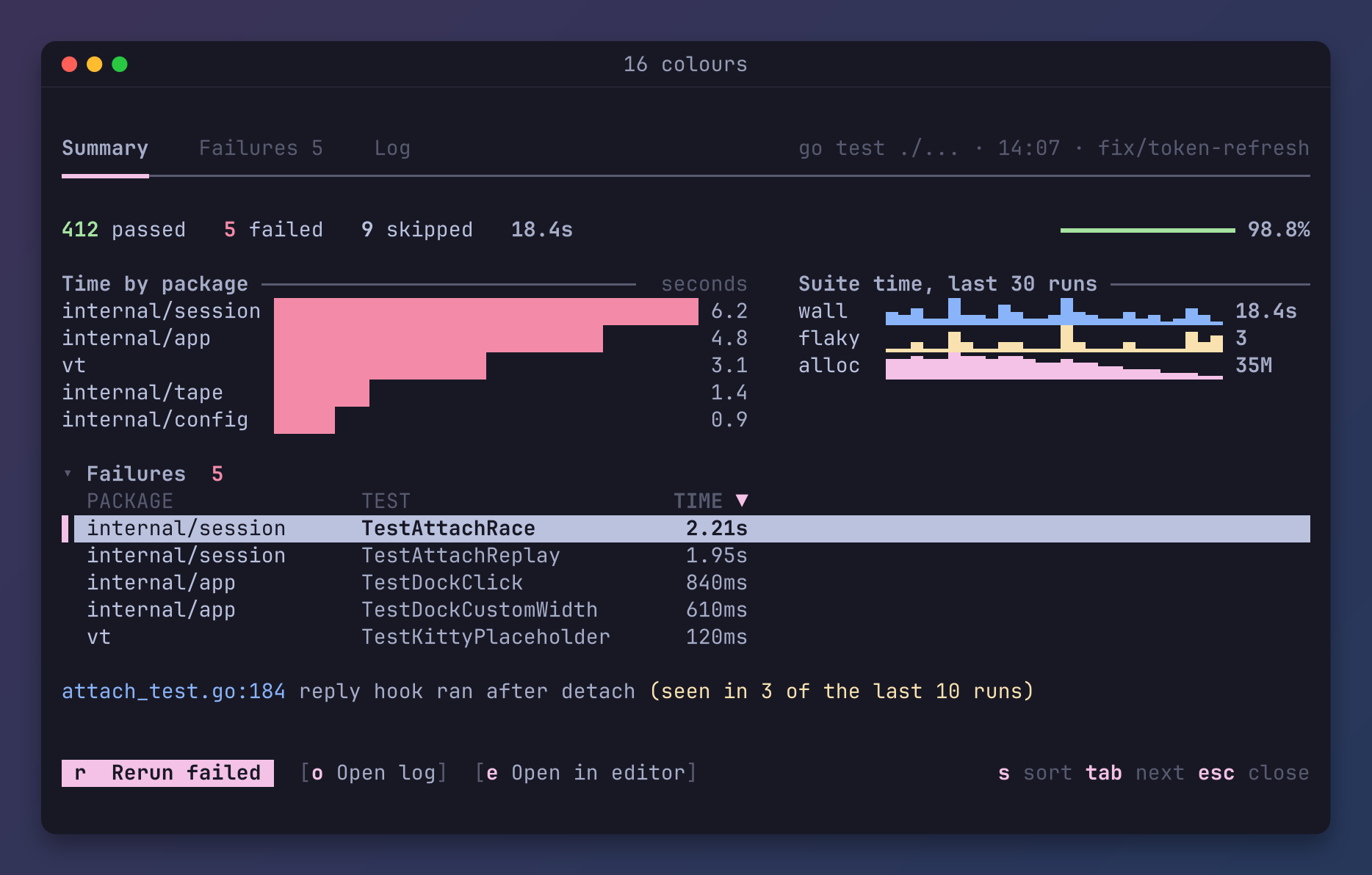
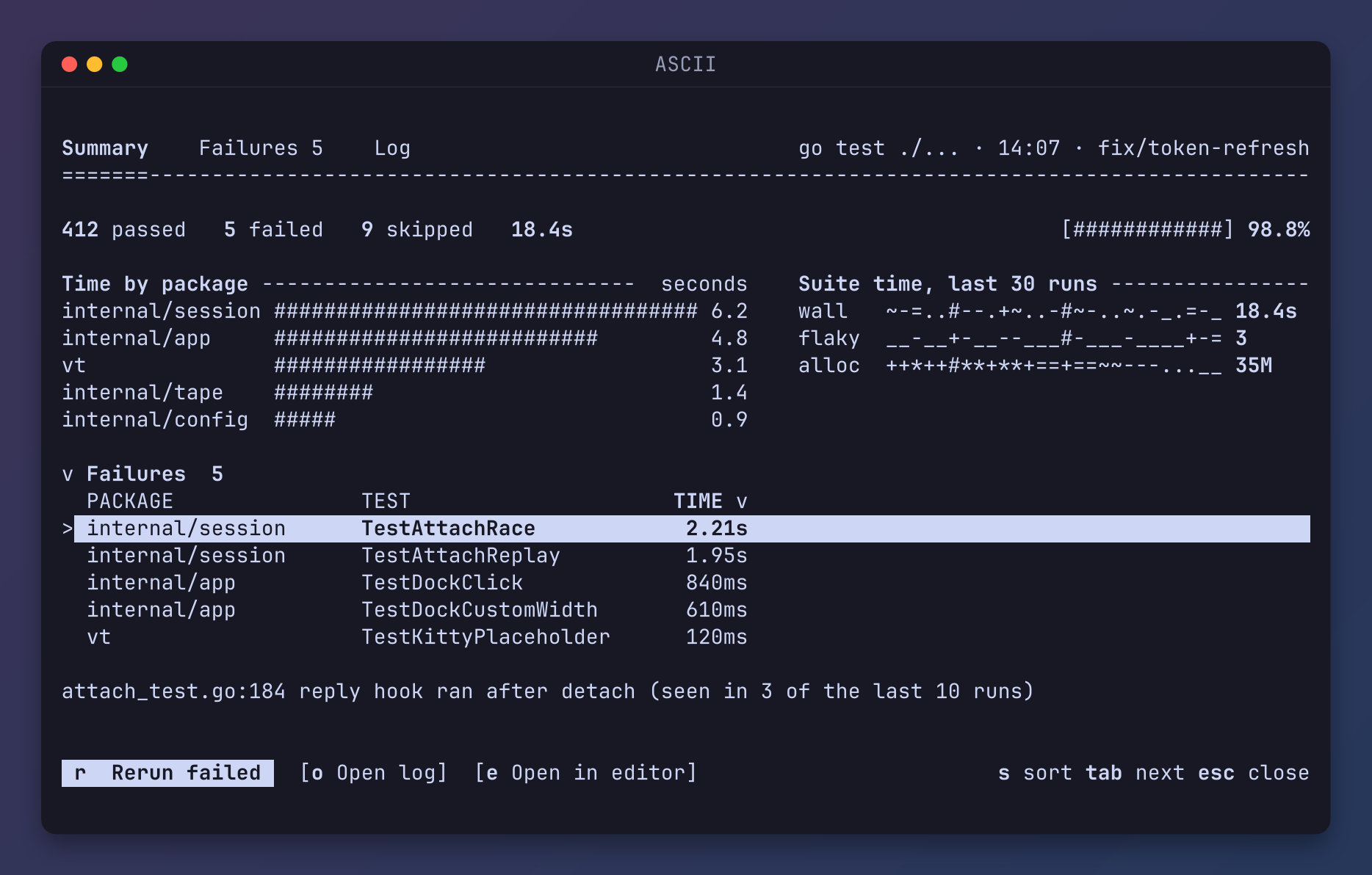
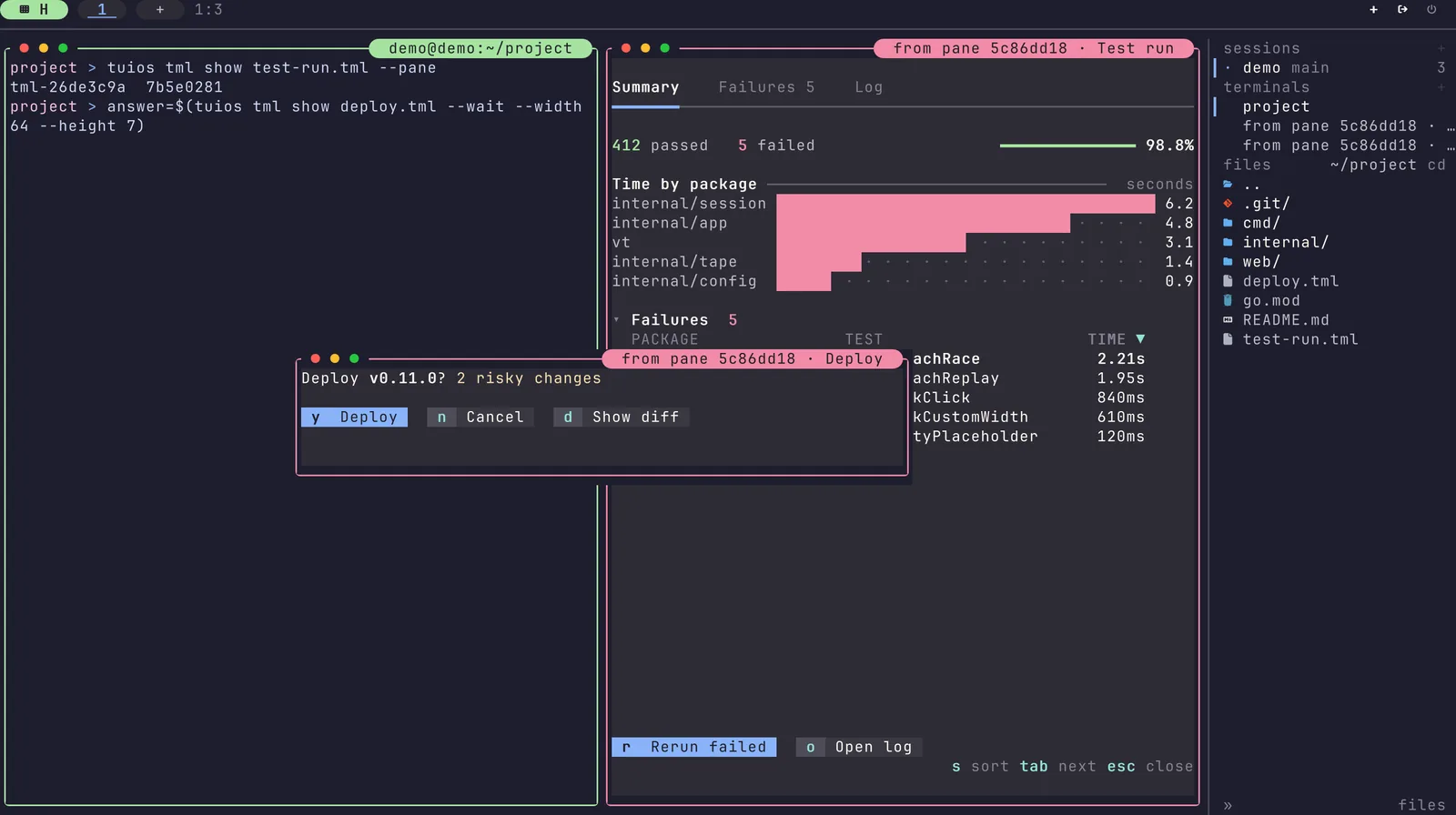
In tuios, #944 added
tuios tml show. The daemon keeps the surface, its tree and its state, so it
survives a detach like any pane. With --wait, the command waits and prints
the value the surface closed with, which makes a question a one-liner in a
script:
answer=$(tuios tml show deploy.tml --wait) # "yes", "no", or null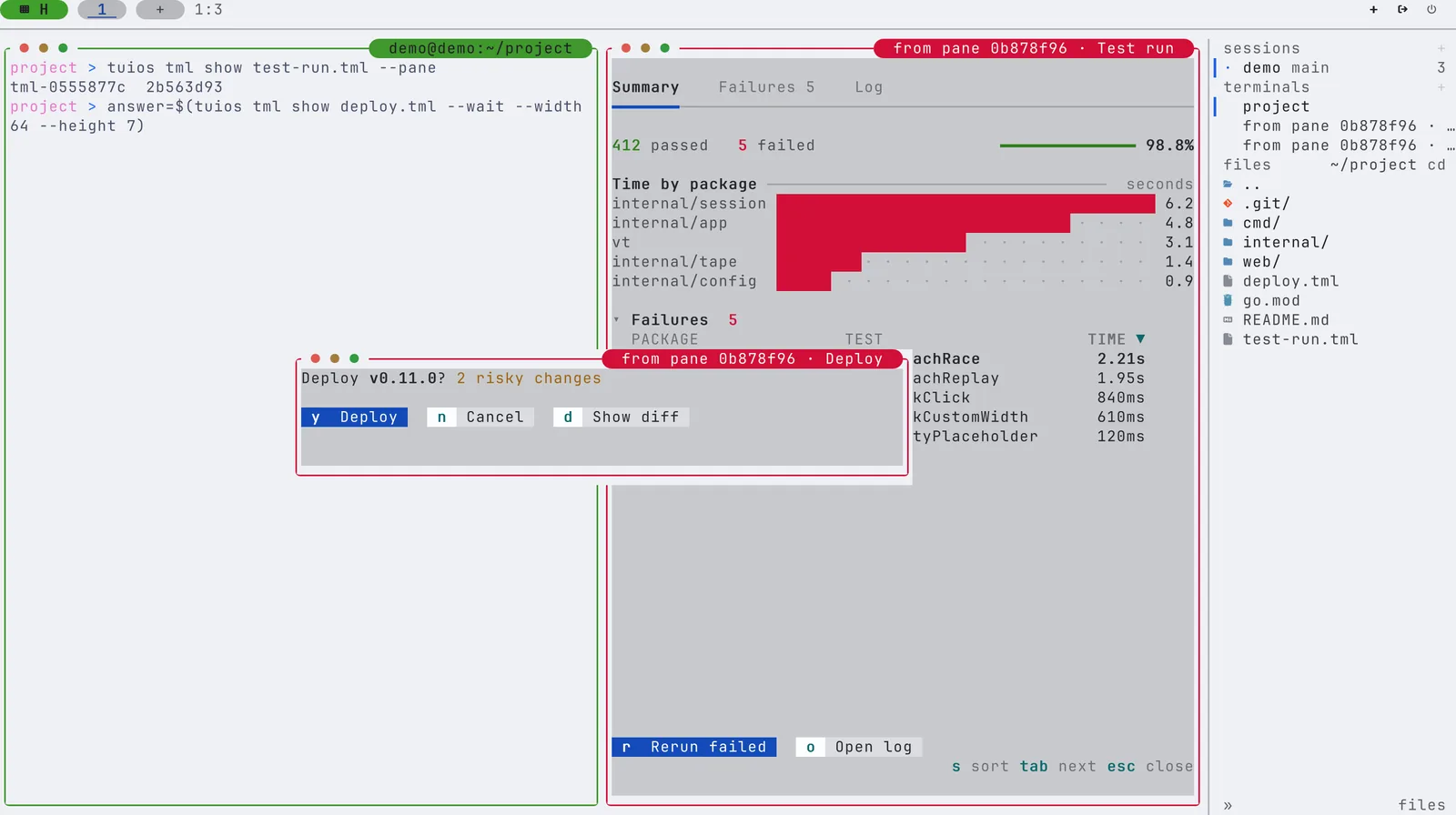
A program that keeps the surface open
A question closes after one answer. A dashboard should stay open and change.
#945 added that. With
--events, tuios tml show keeps running and prints one JSON line for each
emit, so a plain shell loop can own a surface. That's the whole trick behind
the clip at the top:
tuios tml show release.tml --pane --events | while IFS= read -r line; do
  case "$line" in
    *'"type":"tml_opened"'*) id=$(sed 's/.*"surface":"\([^"]*\)".*/\1/' <<<"$line"); release 1 ;;
    *'"name":"rerun"'*)      release 2 ;;
  esac
done
release just calls tuios tml patch "$id" '[...]' with an RFC 6902 patch for
each step. A patch can carry a test operation, and a patch with a stale
test is refused whole, so two writers can't quietly stomp on each other.
Each patch travels to the client as the patch, not as a new tree. loom knows which state paths each node reads, so it redraws only the nodes that read what changed. And when nothing changes, a surface costs nothing. The idle test measured 0 bytes written, 0 timer ticks and 0 renders over 10 seconds with a surface in a pane.
A surface can only do what its pane may do
Here's the part that kept me up a bit. A surface comes from a program, maybe an agent, and the person clicks its buttons. If a button can type into a pane, then an agent with no right to type could get me to do it for it, just by drawing a nice button.
So #947 ties every surface to the pane that opened it:
- A
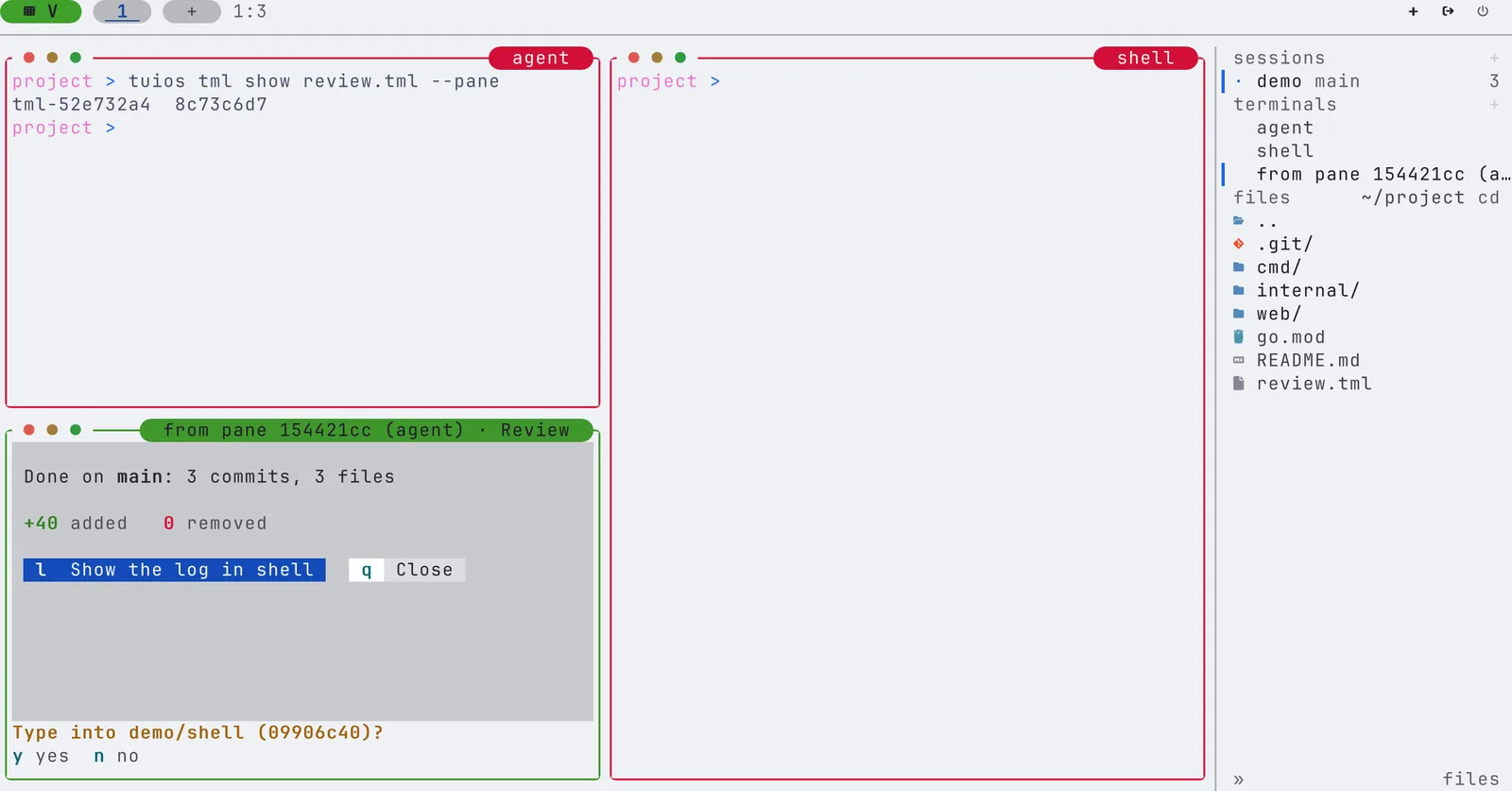
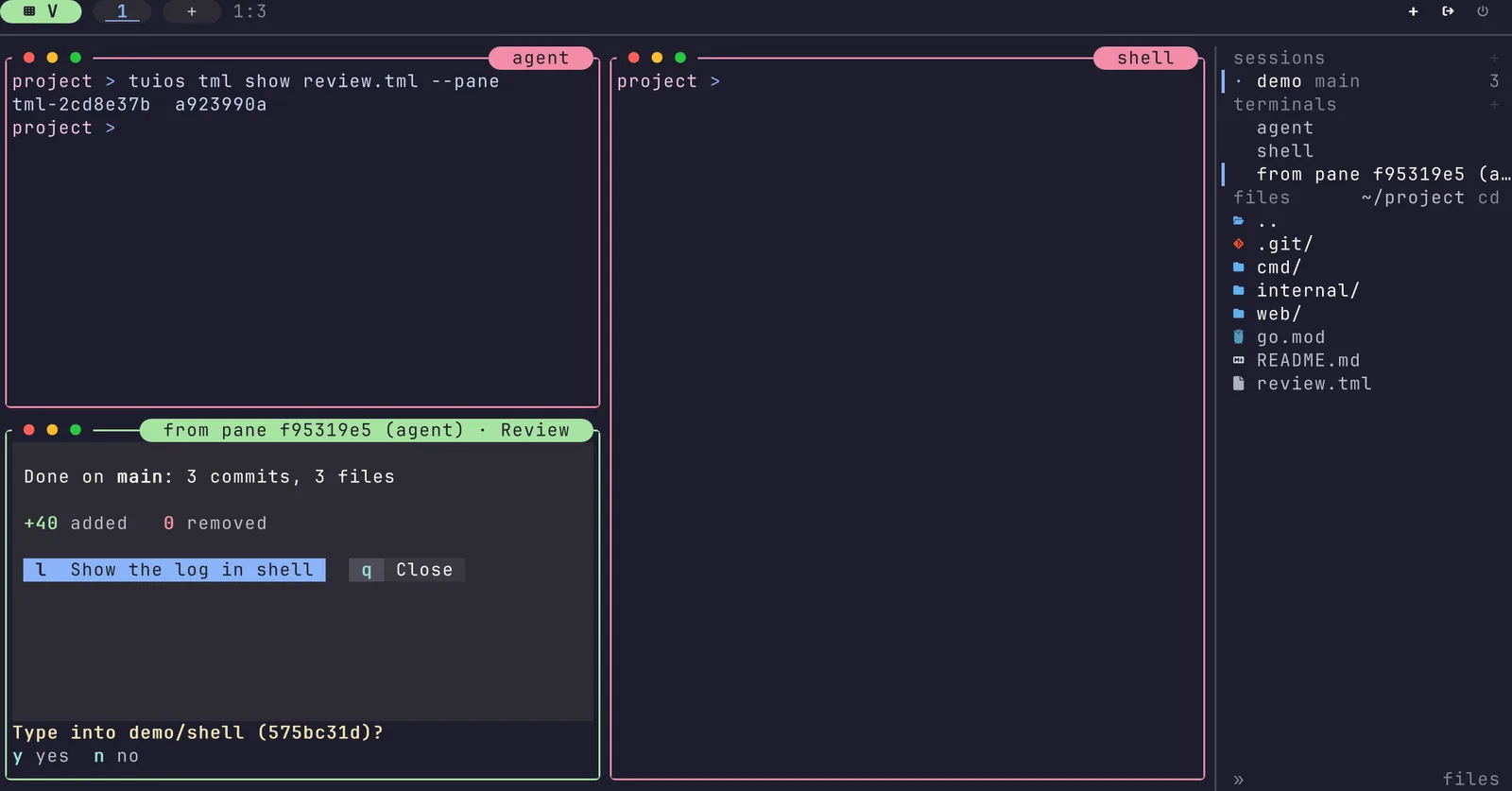
pane()action runs with the grants of the pane that opened the surface, never mine. If that pane may not type intoshell, the button can't either, whoever presses it. - Before a surface types into a pane for the first time, tuios asks, under the surface. tuios draws that line itself, so the document can't draw a fake one or cover it.
- The title says who opened it, like "from pane f95319e5 (agent) · Review". The daemon sets that, and the document can't change it.
- Only the pane that opened a surface may patch, replace or close it. Any
other pane gets
forbidden.
There are limits on the rest too. A document from a pane can be at most
256 KiB, 5,000 nodes and 32 levels deep, and a surface takes at most 100
patches a second before it gets rate_limited. The library strips terminal
controls, bidi overrides and invisible characters from every string that goes
into the state, so a document can't smuggle an escape sequence onto your
screen.
What it cost
Measured as CI builds it, on linux/amd64:
| Part | Binary |
|---|---|
| tml | 226 KB |
| loom | 216 KB |
| plot | 56 KB |
| tuios glue | 27 KB |
| All three surface PRs | +1,028,096 bytes |
About a megabyte, with no new third-party dependency. I spent a while on the
tml library's size before it went in. A program that only calls Check paid
491,520 bytes for tml at first and 405,504 after the cuts: a static catalog
table, switches instead of map literals, and byte loops instead of regexps
built at start-up.
What is next
Forms and text inputs, MCP tools for agents, and surfaces on other machines are the next steps. Surfaces in the dock and the rail come after that. The tml page has every command, and if you get an agent to build something fun with it, I would love to see it :)