A terminal cannot paste an image, so tuios carries it to the agent
Coding agents want screenshots and long logs, and a terminal paste is text. How the tuios reply editor hands a paste or an image to six different harnesses, and the edges on the way. A named pipe called shot.png, a 160 KB PNG that wanted 138 MB, and a kitty size that divided by zero.
GGGaurav Gosain
Half the messages I send a coding agent have something attached. A test log that is 400 lines long, or a screenshot of the thing that looks wrong. In the agent's own window that works, more or less. The harness reads your clipboard, or you drop a file on the window.
Then you run five agents in tuios, and you answer them from the Inbox instead
of going to each pane. The Inbox reply used to be a one-line field. A paste
went through strings.Fields, so a log lost its line breaks, and an image was
not possible at all. A terminal paste is text. There is no escape sequence for
"here is a PNG".
So I built a real reply editor, and a way to get a paste or an image from it to whatever harness is in the pane. It landed this week as a stack of PRs, from #769 to #835. Here it is with a log and a screenshot in the draft:
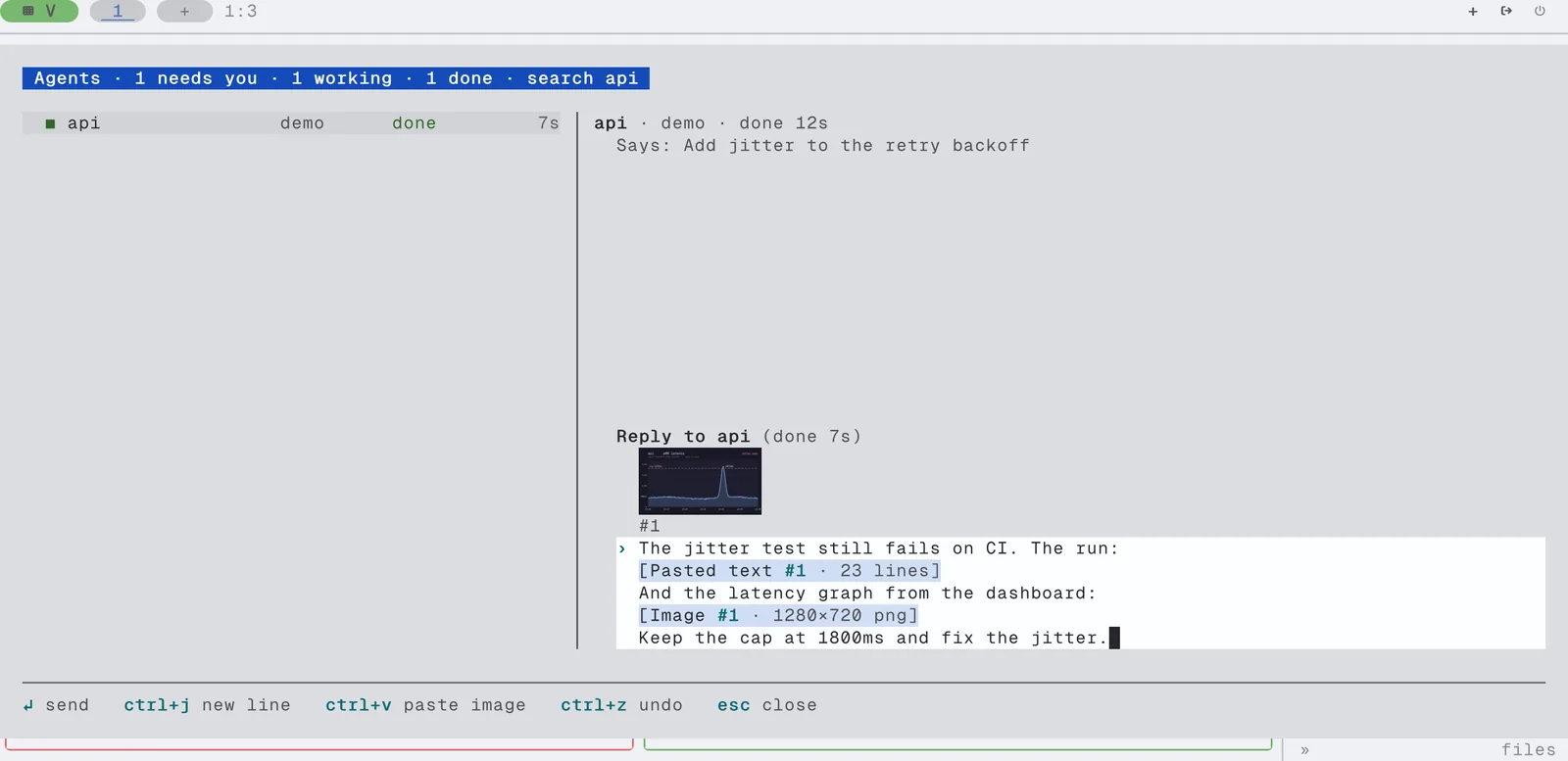
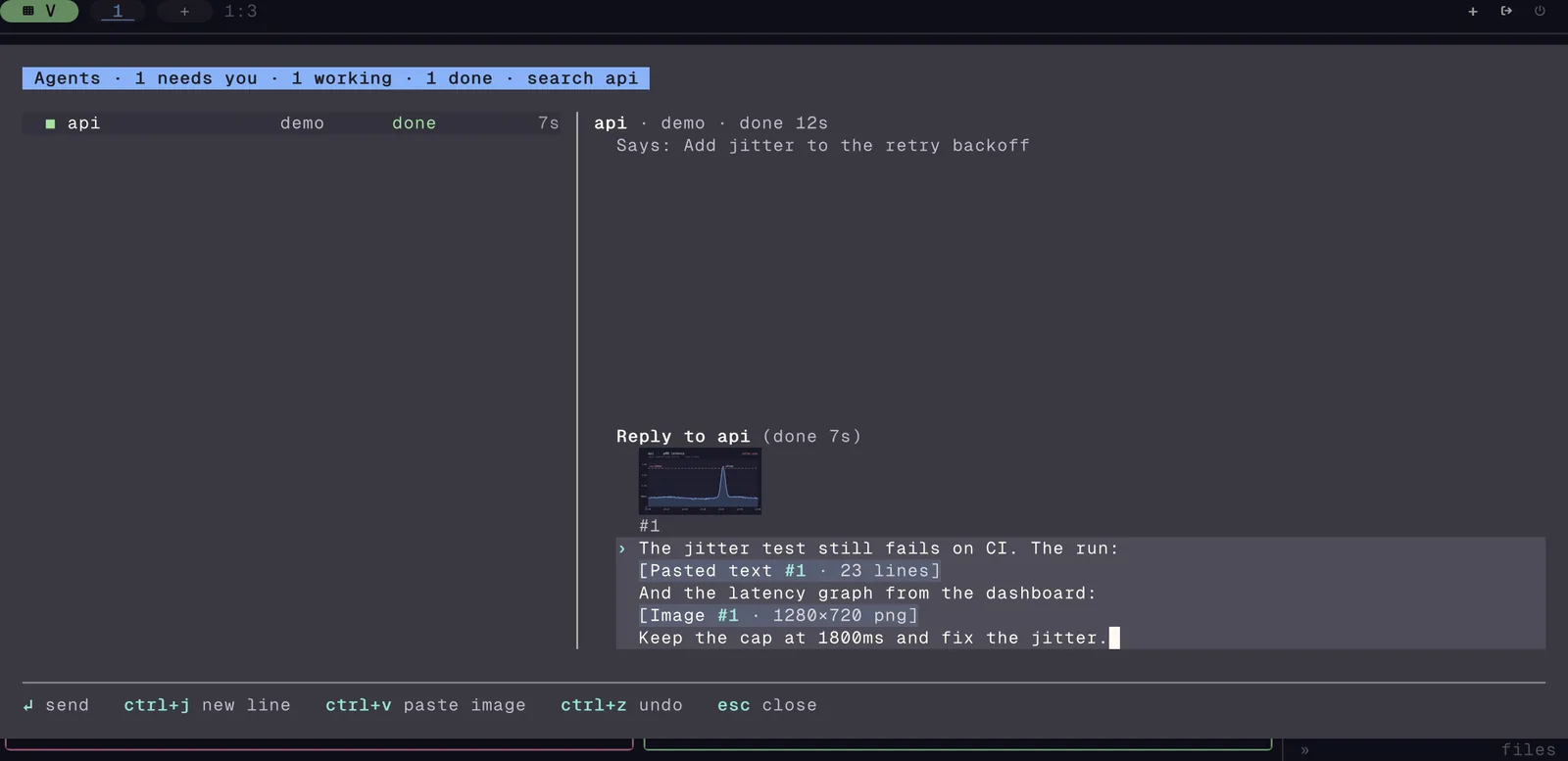
Most of the interesting parts turned out to be the edges.
A paste is one thing
The editor lives in internal/composer. It is a normal multiline editor, with
undo, word motions and soft wrap by display width. The part that matters here
is what it does with a paste:
const (
	DefaultMaxRows       = 8
	DefaultCollapseChars = 800
	DefaultCollapseLines = 3
	// DefaultMaxBytes bounds the whole draft, blocks included.
	DefaultMaxBytes = 1 << 20
)
A paste of more than 800 characters or more than 3 lines becomes one block,
[Pasted text #1 · 42 lines]. The block is one cell in the draft. The cursor
steps over it, backspace removes all of it, and undo brings it back whole. Its
text travels with the cell, so a label you type by hand that happens to look
like [Pasted text #1 · 42 lines] is never replaced by anything.
With the cursor right after a block, ctrl+o opens its text read only, and
ctrl+e turns it back into editable text. Typing one key in a 16 KiB draft,
including the frame it draws, measured about 125 µs.
Two smaller rules came with it. On send, the editor strips invisible
characters and stops once, so you read the cleaned draft before it goes. And a
draft that send-keys typed into is marked, so a script cannot write a reply
and have it sent as you.
Getting a long paste into the pane
The block has to reach the agent somehow, and the agent only reads its own input box. For a short message the answer is easy: type the whole thing as one bracketed paste, then one Enter. For a 2,000-line log it is a bad idea. The agent spends context on every line of it, whether it needs them or not.
So #812 sends the reply as ordered parts, typed text and paste blocks, and lets the daemon on the pane's machine decide when it types the reply:
// queueInlineMax is the largest message whose blocks are typed in their
// place. Above it, every block goes as a file.
queueInlineMax = 12 << 10
At 12 KiB or less, and with a pane that takes a bracketed paste, each block is typed in its place. Above it, every block goes to a file, and the agent reads a label in its place:
[Pasted text #1: /…/paste/tuios-paste-reply-….txt, 2,048 lines]The agent opens the file with its own tools, when and if it wants to.
A message holds at most 64 parts and 8 MB.
The files
These files hold whatever you pasted, which can be a log with a token in it. So:
- The file is written when the reply is typed, not when it is queued. A reply that waits an hour for a busy agent never points at a file the sweep already removed.
- Mode 0600, in a 0700 folder under the runtime directory.
- Kept 24 hours, because the agent can come back to the log at any point of the work that follows. Removed when the daemon stops.
- Nothing is written through a link.
The last one is the one I spent the most time on. The paste folder is in a
place other processes of the same user can write, and a classic way to turn a
"write a file here" into "write a file anywhere" is a symlink, planted either as
the folder or inside it. The writer checks the folder, then opens it as an
os.Root, then checks that the root is the folder it checked:
info, err := os.Lstat(dir)
if err != nil {
	return "", err
}
if !info.IsDir() {
	return "", fmt.Errorf("%s: %w", dir, errPasteDirLink)
}
root, err := os.OpenRoot(dir)
if err != nil {
	return "", err
}
defer root.Close()
// The root must be the directory that was checked, not one swapped in
// for it since.
if opened, err := root.Stat("."); err != nil || !os.SameFile(opened, info) {
	return "", fmt.Errorf("%s: %w", dir, errPasteDirLink)
}
The file itself is created through the root with O_EXCL, so a name that
already exists, a link included, is refused instead of written through. Go's
os.Root refuses any path that leaves the folder, so a link planted inside it
cannot carry the write out either.
One bug from the review is worth telling, because it would have been silent. The paste folder keeps at most 50 files, and the oldest go first. A message can have 64 parts. So a reply with 51 blocks deleted its own first files before the agent read them, and the agent got labels pointing at nothing (3576332b). The cap now skips the files of the message being written. The same commit found that files written in the same second were ordered by the random letters in their names, so the "oldest" one was a coin toss. Each name now has a sequence number.
Images
#814 adds images. There are three ways one gets into the draft:
ctrl+v, when the clipboard holds an image and no text. It uses the same reader as the pane image paste:wl-paste,xclip,osascriptor PowerShell.- An empty bracketed paste. tuios takes that as a cue to look for a clipboard image.
- A paste that is only the path of an image file. That is what a terminal sends
when you drop a file on it: a plain path, a quoted one, a
file://URL, or one with its spaces escaped.
The image is a block like a paste, [Image #1 · 1280×720 png]. The size comes
from image.DecodeConfig, which reads only the header. Limits: 8 images and 8 MB
each.
A named pipe called shot.png
The pasted path is the input I trust least, because it can name anything. The
first version opened the file and then checked it. The review asked what
happens with a named pipe called shot.png, and the answer was that the open
blocks until a writer shows up, which is never, and the background task that
read it waited for good
(cffbad23). Now it
checks first, opens without blocking, and checks the open file again:
before, err := os.Stat(path)
if err != nil {
	return nil, err
}
if !before.Mode().IsRegular() {
	return nil, errNotFile
}
if before.Size() > composer.MaxImageBytes {
	return nil, composer.ErrImageTooLarge
}
f, err := os.OpenFile(path, os.O_RDONLY|openNonblock, 0)
if err != nil {
	return nil, err
}
defer f.Close()
info, err := f.Stat()
if err != nil {
	return nil, err
}
if !info.Mode().IsRegular() || !os.SameFile(before, info) {
	return nil, errNotFile
}
The second check closes the gap between the two: a pipe swapped in after the
Stat is refused too, because it is not the same file.
Handing the image to six harnesses
The image travels in the reply's parts as {"kind":"image","data":…}. The
daemon sniffs it again, writes it to the paste folder with the same writer as a
long paste, and then has to tell the agent about it. That is the part with no
standard. Each harness takes an image differently, so each harness manifest now
says how, in [input] images:
path_paste: the text before, the path alone, the text after, each its own bracketed paste, then one Enter. A harness that sees a paste that is only an image path attaches it. An empty side sends no paste at all, because an empty paste is exactly what some harnesses read as "look at the clipboard".path_text:[Image #1] PATHin the text, set off by spaces so an agent that looks for paths finds it whole.none: the reply is refused, and the draft says the agent cannot take images.
A pane without bracketed paste falls back from path_paste to path_text,
since then nothing can tell a paste from typing.
I did not want to guess which harness wanted which, so
#833 measures it.
TestHarnessTakesAPastedImagePath runs the real harness in a pane, waits for
its input box, pastes the path of a PNG the way the queue does, and reads the
screen. It submits nothing, so no model is asked anything. It is opt-in,
because it runs whatever is installed with your own settings:
| Harness | After the paste | images |
|---|---|---|
| OpenCode 1.19.3 | [Image 1] in the input box | path_paste |
| Crush v0.98.1 | the PNG attached over the input box | path_paste |
| pi 0.73.1 | the path stays text | path_text |
Claude Code, Codex and Kilo say path_paste too, and their manifests say "not
measured", because I could not run them here without changing someone's
settings. Each manifest keeps that note in images_source, so a guess is never
dressed up as a measurement.
Seeing what you attached
A block that only says [Image #1 · 1280×720 png] is fine until you attach the
wrong screenshot. #817 shows
a preview above the draft, and it has to work on every terminal tuios runs in:
- Kitty graphics, when the host has them and reported its cell size. The editor leaves the cells blank and reports each picture's box, and after the frame the client uploads the picture once and places it. That is the screenshot at the top.
- Block glyphs otherwise. A sixel host gets these too, because sixel cannot delete a placement, and a panel that moves and closes needs that.
- A line of words at 16 colours, or with no colour.
Here is the same draft on a 256-colour terminal with no image protocol, and on a 16-colour one:
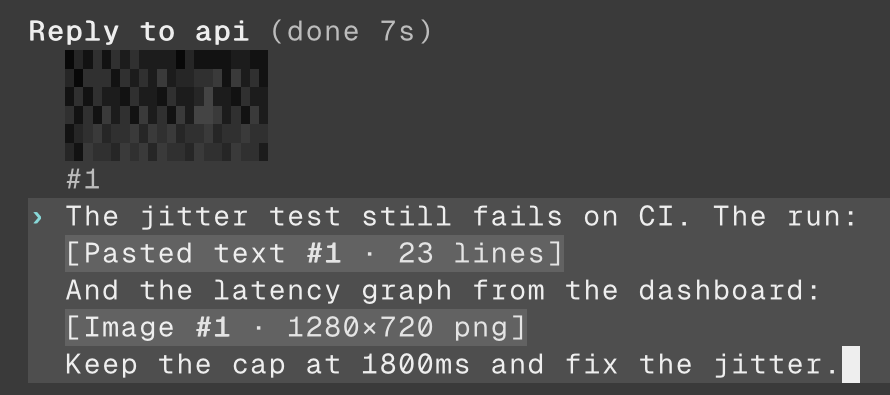
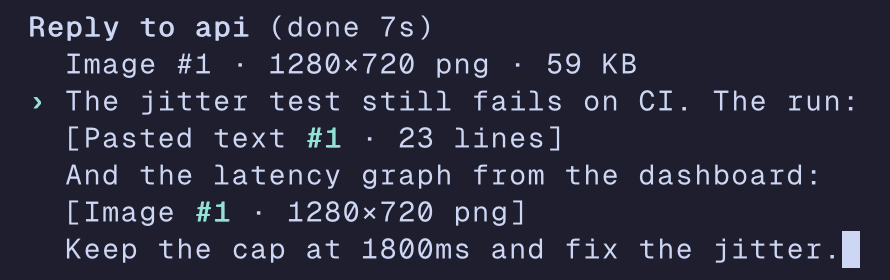
The block-glyph one does not tell you much about a dark chart with a thin line, I know. But it is enough to see that you attached a graph and not a photo of your cat.
160 KB, 138 MB
A preview has to decode the image, and a PNG says how big it is in its header. Nothing makes the header honest. A PNG of 12000x12000 identical pixels compresses to almost nothing, and the one from the review was 160 KB. Decoding it for a 6 by 3 cell thumbnail took 138 MB and 0.8 s (5f7748a8).
The preview now reads the size from the header and decodes nothing above
24 << 20 pixels, a bit over 25 million:
if img.Width <= 0 || img.Height <= 0 || img.Width > replyPreviewMaxPixels/img.Height {
	return nil
}
The check divides instead of multiplying, so a header that claims two huge sides cannot overflow its way past it. The image is still sent. The agent can decide what to do with a 144-megapixel PNG. The preview just shows a blank box, at 0 MB.
A reply to another machine
tuios can link daemons on several machines, and the Inbox shows agents on all of them. Until #835, a reply to an agent on another machine said "Attach there to reply". Now it goes over the link, parts and images included, and this is where the security edges stack up.
The local daemon checks that the reply comes from the person and not from a
pane, and refuses anything that itself arrived over a link. The far daemon sees
only the link, so without that check a pane's grants here would be bypassed
there. The far daemon then holds the reply to its own [hosts] policy for this
machine: write, and files for a block or an image, at queue time and again
when it types the reply.
A client on another machine (tuios ssh, the browser) has the opposite
problem. It runs on the daemon's machine for someone elsewhere, so ctrl+v
pastes text there, and the @ list offers no files
(f493b19e). It would
otherwise list the server's folders to a guest.
Images in screenshots
Right next to this, #855
made tuios screenshots show the kitty and sixel images a pane shows. To draw
them, the client keeps the last payload of each kitty image it forwards. The
first bound was 32 MiB per connection, and an icat loop of 300 PNGs left the
client at 85 MB of RSS, against 52 MB on main. The bound is now 8 MiB, and the
same loop settles at 60 to 63 MB
(fc6f94d4).
The same commit met the named pipe again. A kitty image sent with t=f is a
file path, and the client reads it when a screenshot asks, long after the first
check. A pipe put in place of that file would have blocked the PTY reader. So
the read checks the path again and does not wait for a writer.
#863 then made the reply
previews show up in a capture too, which is how the shot at the top was taken.
A contribution: one axis, and a division by zero
Kitty images in a pane got a fix from outside this week.
#853, from
@ryan4yin, fixes a placement that gives only
one side. c=12 with no r= asks the host to fit the height to the picture.
tuios took it from the bitmap's pixels, so a 512 px cover asked for in 12 columns
got 12 rows on a 21x46 pixel cell, where the aspect gives 6, and the box overran
the pane. The PR came with an e2e test where five of its seven cases fail on
main, which made reviewing it really easy.
When I checked it against kitty, I found two more things and pushed them on top (41d13cf3). kitty fits the missing side to the aspect of the source rectangle, not the whole picture, so a crop keeps its own shape. And the sizing was integer maths on numbers the guest writes:
rows = ceilDiv(cols*caps.CellWidth*cmd.Height, cmd.Width*caps.CellHeight)s=4611686018427387904, which is 262, with c=12 on 20 px cells
makes the divisor 262 × 20, which wraps to exactly zero, and the
client panics. Any program in a pane could do that. The sizing now works in
floats, treats a negative c or r as unstated, and holds each side to 65536
cells. A test, TestKittyBoxFromHostileSizes, lists the ways it could fail
before it checks them.
One step too long
The editor, the blocks and the previews were a few days of normal work. Every bug in this post is the same bug, though: a number or a name that came from outside, trusted one step too long. A header that says 12000x12000, or a path that turns out to be a pipe.
All of this is on main and goes out in the next release. If your harness takes
images some other way, the manifest is a small TOML file, and
TUIOS_E2E_HARNESSES will measure it on your machine. I would love a PR that
turns one of those "not measured" notes into a real row in that table :)