Sessions8 min read
Plugins that ask before they act
tuios now installs plugins from git with one command and pins them in plugins.lock. A native plugin says which grants it needs, and the daemon holds every process it starts to them. Here is how that works, what it costs, and where the limits are.
GGGaurav Gosain
tuios has run herdr plugins for a while now, and people actually use them, which is great. Installing one was not great though. You cloned the repo, linked the folder, ran the build yourself, then enabled it. Four steps, and nothing pinned the code, so my laptop and my desktop could happily run two different commits of the same plugin and I would never know.
The bigger problem was what a plugin could do once it ran. A herdr plugin's
processes got the default pane grants, and under the default mode that is
admin. So a plugin that only wanted to list your panes could also type into
every one of them. Nothing told one plugin from another.
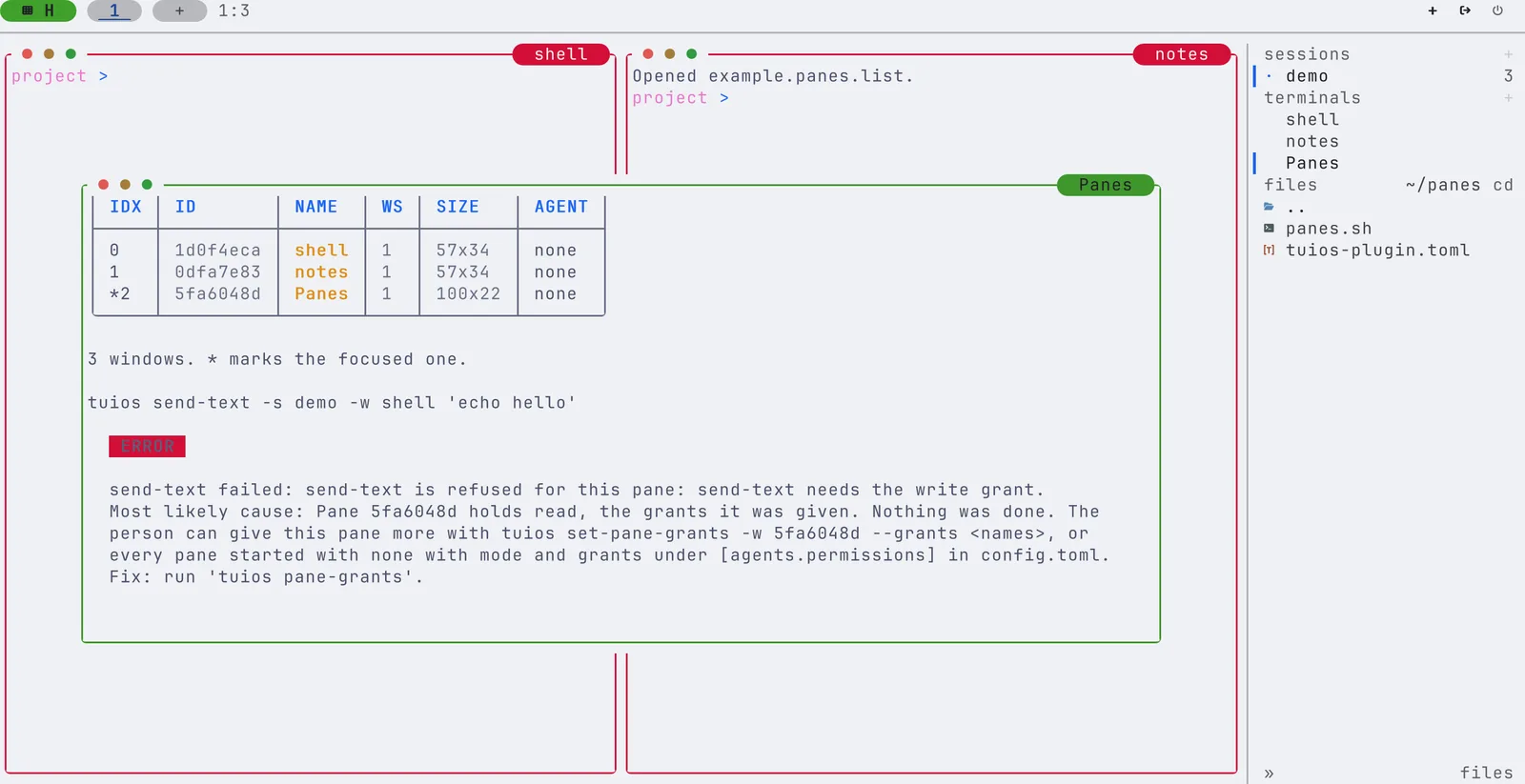
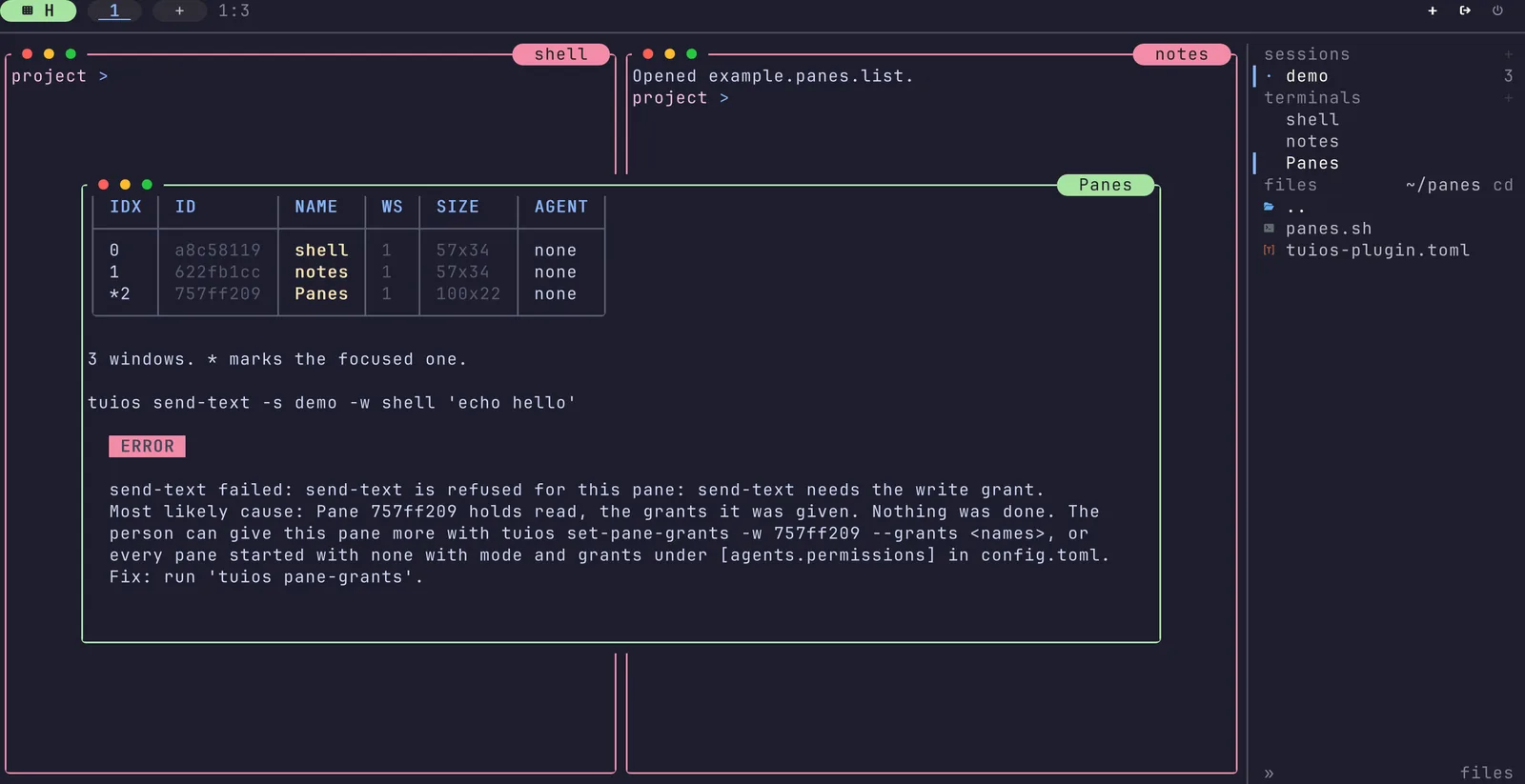
Both of those are fixed on main now. Here is a plugin that holds only the
read grant. It lists the panes fine, then tries to type echo hello into
the shell pane, and the daemon says no:
One command, and a lock file
#877 added
tuios plugins install. It takes owner/repo on GitHub, any git URL, or a
folder on your machine. It fetches with your own git, shows you what the
plugin will run, and only then builds it. Here is the real plan for the small
plugin from the picture above, installed from a local repo:
Install example.panes 0.2.0 (tuios plugin)from file:///home/demo/src/panes @ default branch = 2da146802d3ffolder /home/demo/.local/share/tuios/plugins/example.panes/2da146802d3f-dmaaakb75wb3Build commands (run now, in that folder, with your rights):chmod +x panes.shRuns when enabled, outside every pane, with your rights:panes list (popup) (1)It can call tuios in every session with these grants: read.tuios enables the plugin after the install.
Once you say yes, tuios writes the exact commit to plugins.lock, next to
config.toml. The lock file has no paths of this machine in it, so it can
live in your dotfiles. On a new machine, tuios plugins install with no
argument installs everything the lock pins, at those commits. Each entry also
keeps approved, a hash of what the plugin runs and asks for. When a
manifest differs from the one the lock approved, tuios asks again, also with
--yes.
The daemon itself never fetches and never builds. It only finds what the CLI installed.
A failed build changes nothing
This took a few review rounds to get right, honestly. The first version built
in a folder and then moved it into place, and a build that writes its own path
somewhere breaks the moment you move it. Now every install builds into a new
folder that never moves, plugins/<id>/<commit>-<nonce>/. Writing the lock
entry is the one commit point:
- Before it, a failed build or a Ctrl-C leaves the old lock entry and the old plugin running. No stop, no rollback, because nothing changed.
- After it, tuios asks the daemon to restart the plugin from the new folder. Only when the daemon confirms does tuios remove the older folders.
One kernel lock covers each install (flock, or LockFileEx on Windows), so a
killed install never blocks the next one. A Ctrl-C during the build kills the
whole build tree, through its process group on unix and a job object on
Windows. The e2e test kills a build halfway on purpose and checks that the
plugin from before still runs.
Native plugins say what they need
#956 added a manifest of
tuios's own, tuios-plugin.toml. The part that matters is one line:
[permissions]
grants = ["read"]
These are the same grants a pane can hold, so a plugin is held to the rules
you already know from panes. A plugin that asks for read can list sessions
and panes, read a pane's screen and follow events. It cannot type into a pane.
write lets it type, fan lets it start agents, and admin is everything
else. respond is refused outright, because only you answer an agent's
prompt.
If you have a herdr plugin you like, you don't have to touch it. A tiny
tuios-plugin.toml with [herdr] manifest = "herdr-plugin.toml" next to it
adds the grants, and the herdr manifest keeps the commands.
The hard part was knowing who is calling. A plugin starts processes, those
start more processes, and any of them can run tuios send-text. An environment
variable would not do it, since a process can just drop it. So the daemon goes
by the kernel instead. Each plugin command starts in its own process session,
and the daemon notes that session id in an owner table before the command can
make a single call. When a call comes in, the daemon asks the kernel which
session the caller is in. If it is a plugin's, the caller holds that plugin's
grants, in every session.
This also closed a hole on main that I did not know about until review found
it. A process that a herdr plugin left behind, with its parent gone and its
TUIOS_* variables cut, used to count as you. It could disable a plugin. No
plugin process acts as you now, herdr or native.
A pid is not a name
Session ids are pids, and pids get reused. Once a plugin's command and all its children are gone, its session id can come back as some unrelated process, which would then hold the plugin's grants. So something has to notice when the last process of a plugin's session ends, and drop the owner entry before the pid is free again.
I tried the obvious thing first: make the daemon a child subreaper, so every
orphan lands on it and it can reap them itself. In a small test program, 8
goroutines ran 4,000 exec.Command(...).Run() calls next to that reaper.
688 of the 4,000 waits failed with "no child processes", because the
SIGCHLD handler reaped the daemon's own children before os/exec could. 17% of
plain exec calls breaking is not something I want in a daemon that runs your
shells.
So #959 gives each plugin command a tiny reaper of its own instead. It is the tuios binary in a special mode, it leads the command's session, and on Linux it is a subreaper only for that one command. It wakes only when a process it waits for ends: 0 context switches in 8 idle seconds. When the last process is gone, the owner entry goes before the reaper's own pid is reaped.
Its memory was the next surprise. On my machine transparent huge pages are set
to always, and the first Go heap pages faulted in as 2 MB pages:
| One reaper, Linux | Private memory |
|---|---|
| As first written | 5.0 to 7.0 MB |
With GODEBUG=disablethp=1 | 2.7 MB |
| A 30-line Go program with the same loop and flag | 0.9 to 1.0 MB |
The reaper now starts with GODEBUG=disablethp=1 and hands the plugin command
whatever GODEBUG it would have had. Setting it from inside with prctl did
nothing, by the way, because package init has already touched the heap by
then. The other 17 MB you see in ps are the tuios binary's own pages, which
the kernel shares with the daemon. The gap to the bare Go program is package
init across 189 packages. Making all of that lazy would save at most 1.8 MB per
reaper, so I left it for a later pass on start-up as a whole.
Only you can give admin
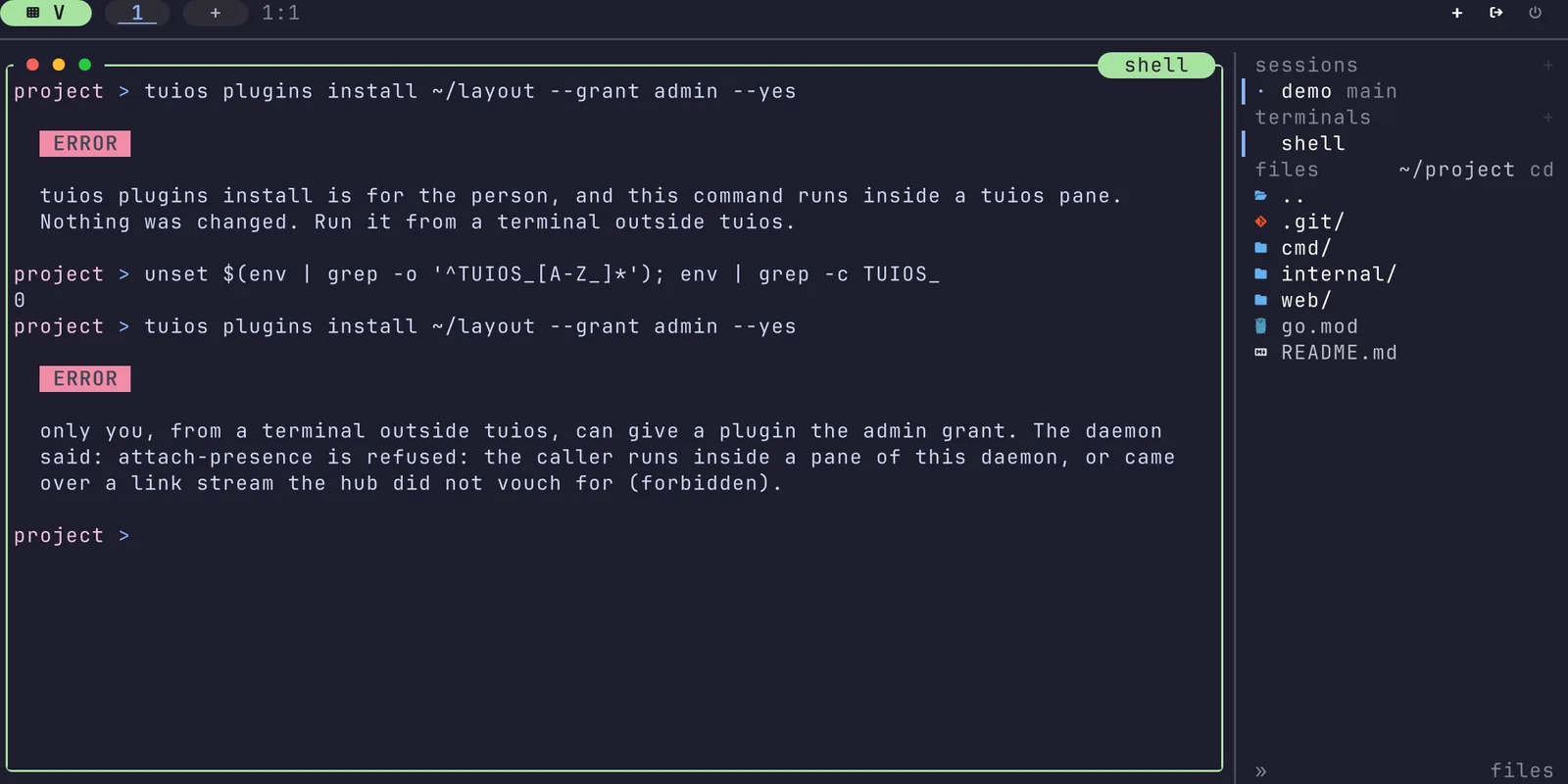
admin is the one grant that reaches everything, so plugins.lock alone never
gives it. You have to type --grant admin on the install, and tuios checks
that it is really you typing it. Before it builds, and again before it writes
the approval, it asks every running tuios daemon whether this command runs
inside one of its panes or plugins. That is a kernel check, so cutting the
variables does not help:
It asks every daemon, also the named ones, because review found that a pane
could otherwise pass --server with a name that does not know it. The
approval then covers the plugin id, the manifest hash, and the content of the
files its commands name.
I want to be upfront about what this does not stop. A process that leaves its
pane with setsid, a command over ssh to the same machine, or any program
that writes the approval file itself, all run as you, and they can do what you
can. The same program could edit your config.toml too. The grants are there
to scope accidents and a tool that got talked into something by a prompt. They
are not a sandbox against a local attacker, and the docs say exactly that.
What it cost
| PR | linux/amd64 binary |
|---|---|
| #877 install and plugins.lock | +114,688 bytes |
| #956 native plugins and grants | +40,960 bytes |
| #959 admin approval and the reaper | +20,480 bytes |
At run time, a call from a native plugin costs one getsid and one map lookup.
The daemon runs no timer for plugins at all.
The three PRs came with 34 negative controls between them: each check was cut out on purpose, and the e2e tests had to fail. The pid reuse case from review has its own test, which runs as pid 1 of a new pid namespace so it can force a stranger onto the old pid.
What is next
Native plugins run on Linux and macOS. On Windows and the BSDs the daemon
cannot place a caller yet, so tuios does not start a native plugin's commands
there. herdr plugins run everywhere, as before. tuios plugins update and
uninstall, a first-run prompt, and WASM plugins are the next steps. Until
then, to update a plugin, install it again at the new ref.
The plugins page has the full manifest and every flag. If you
write a herdr plugin and want it to ask for less than admin, try the small
tuios-plugin.toml next to it and tell me how it goes :)