Web12 min read
A rice gallery that bots can't spam
The tuios.dev gallery has no form, no upload and no account system. GitHub comments are the queue, one reaction is the approval, every image is re-encoded, and applying a stranger's config is a layer you can take off. Here is how it works, and the ways review found to sneak an image past the approval.
GGGaurav Gosain
People share their tuios setups. Someone posts a screenshot with a custom theme, a bar full of widgets, a rail with just the right sections, and somebody always replies "config?". I wanted a page for that: tuios.dev/gallery, where every setup shows its picture, its config, and one command to try it.
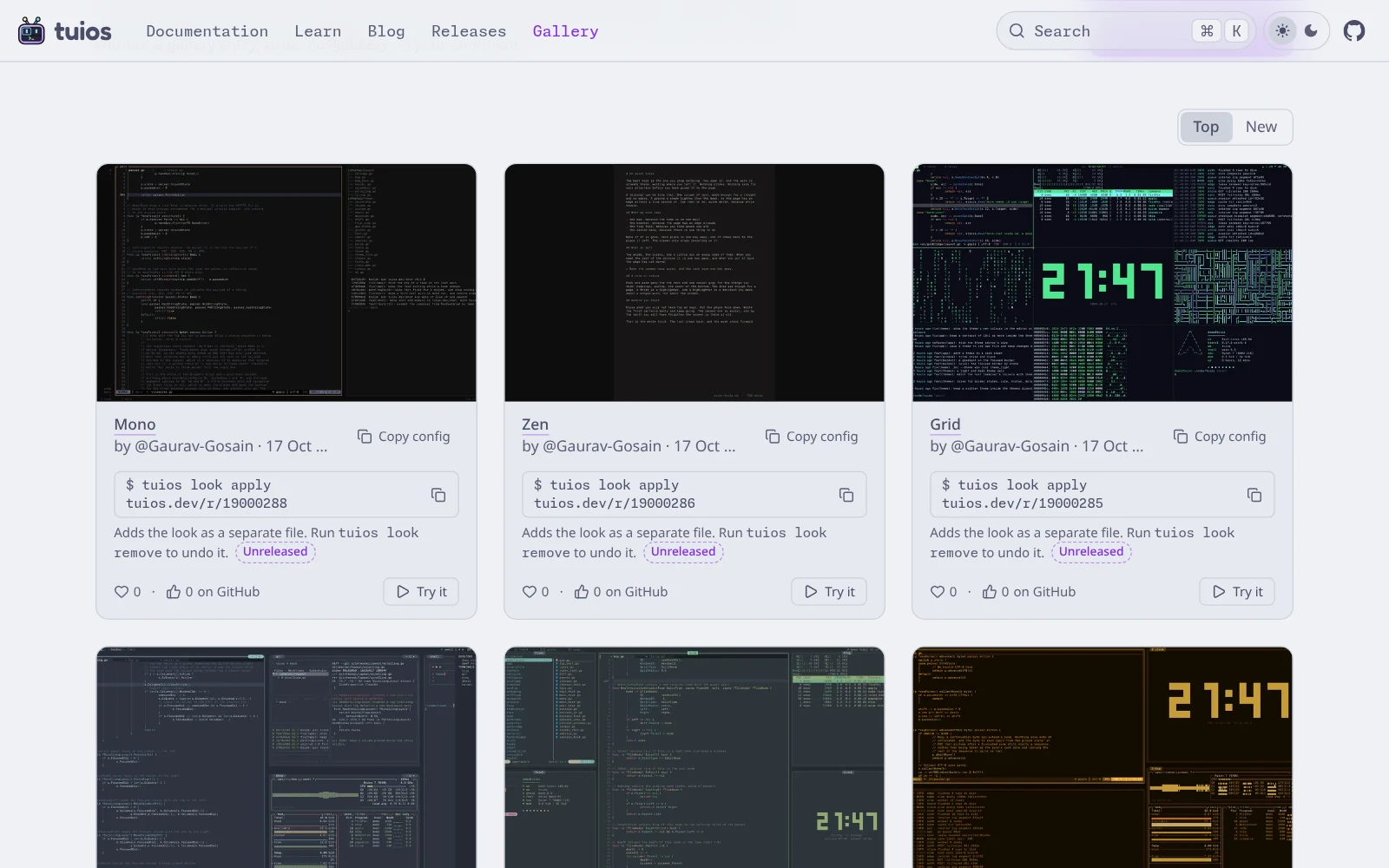
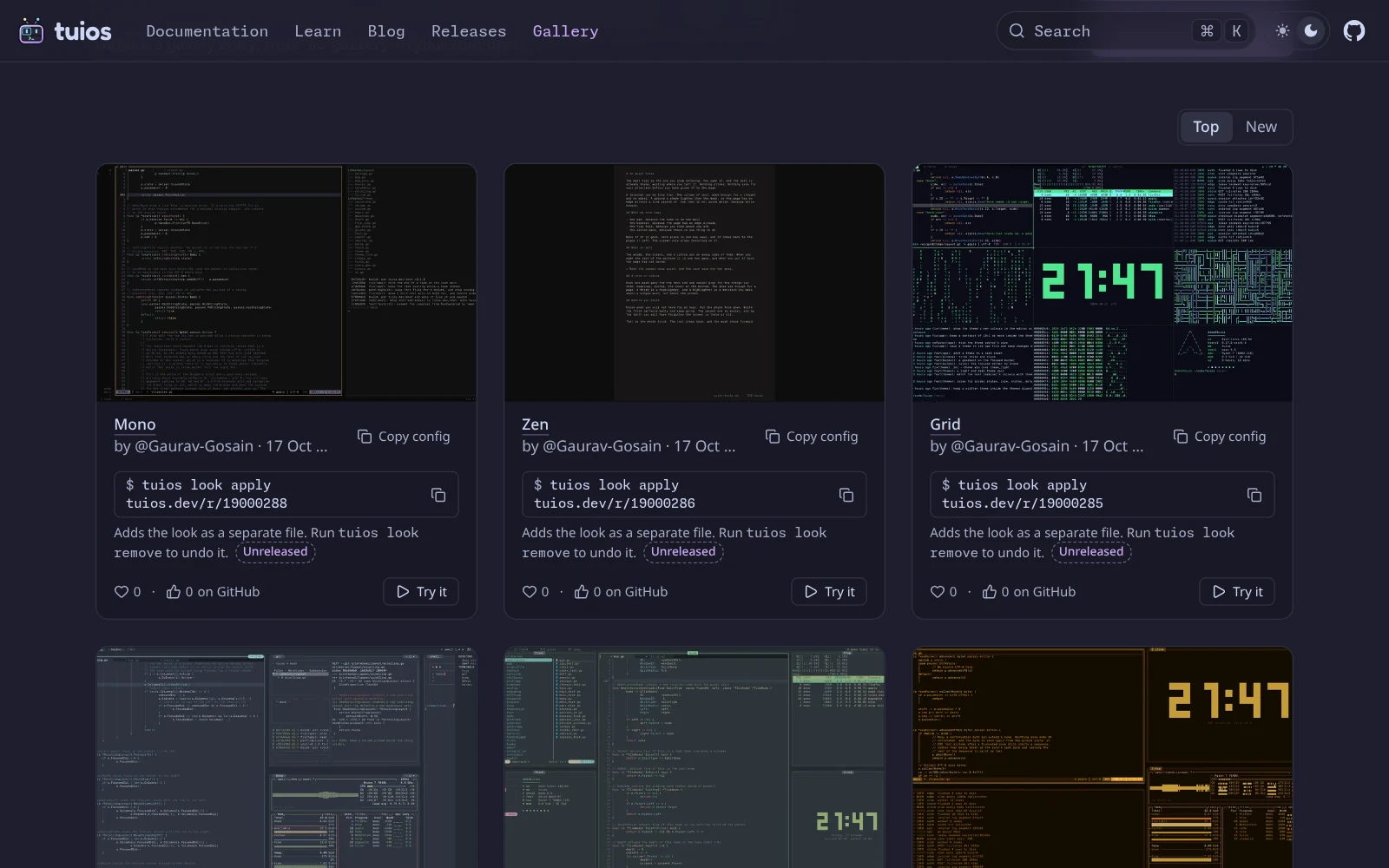
What I did not want was a form. A form on a static docs site means an upload endpoint, storage for whatever arrives, a moderation queue, spam filtering, and an account system or a CAPTCHA wall in front of all of it. Every one of those is a thing a bot can hit, and a thing I have to run.
So the gallery has none of them. It launched today with 12 setups, which I posted to the discussion myself to start it off. The whole pipeline is a GitHub discussion, a scheduled Action, a Cloudflare Worker and a bucket. Here is how it works, including the parts review broke.
The queue is a discussion
You submit a setup by commenting on discussion #849: a screenshot and a fenced code block with your config. That's it. GitHub already handles the hard parts of taking content from strangers: accounts, rate limits, abuse reports, image hosting, spam detection. A GitHub account costs a bot more than a form post does.
A comment shows on the site only after I react to it with a rocket. That reaction is the entire approval system. A rocket from any other account does nothing:
const approval = comment.rockets
  .filter((r) => r.login === approver)
  .map((r) => Date.parse(r.createdAt))
  .filter((t) => !Number.isNaN(t))
  .sort((a, b) => b - a)[0];
if (approval === undefined) {
  skip("no rocket from the approver");
  continue;
}
An approval is for the text I saw. So an edit after the rocket takes the entry down until I react again. GitHub gives both times to the second, which leaves one gap: an edit in the same second as the rocket. That counts as after it.
if (comment.lastEditedAt && Date.parse(comment.lastEditedAt) >= approval) {
  skip("edited after the rocket; react again to approve the new text");
  continue;
}
Removing my rocket takes an entry down at the next sync. A comment that says "no gallery", or something close to it, stays out even with a rocket. A committed denylist names comment IDs and logins that never show.
The sync is a GitHub Action that runs every hour. It reads the discussion
over GraphQL with the workflow's own GITHUB_TOKEN, since the discussion is
public. It uploads the images and a gallery.json feed to an R2 bucket and
commits nothing. A Worker serves the feed and the images, and the page fetches
the feed after it loads, so a visit to the gallery never calls the GitHub API.
The approver saw one image, the site published another
The first version took the first image from the comment's Markdown with a couple of regular expressions. Review found the problem with that before it merged: GitHub's renderer and my regular expressions do not read Markdown the same way. Every one of these showed me one image on GitHub while the sync published a different one:
- An image in an HTML comment.
<!--  -->comes first in the source. GitHub does not show it. My pattern took it. - An image in another image's alt text, or a
srcinside an alt attribute. - Markdown inside an HTML block, which GitHub shows as plain text.
- An escaped bang, which GitHub draws as an empty link.
<picture>, or a#gh-light-mode-onlyimage. These show a different picture per theme. The reviewer sees one of them, and the sync could take the other.- An image drawn one pixel wide, or inside a collapsed
<details>. It is technically shown. I would never notice it.
Patching each of those in the Markdown reader would have been a losing game.
The fix was to stop guessing how GitHub renders the comment, and ask. The
GraphQL query
already returns bodyHTML, the comment as GitHub rendered it. The sync now
takes an image only when it is the first <img> GitHub actually shows, in
plain view:
export function shownImageProblem(url: string, bodyHTML: string): string | null {
  if (/<(?:picture|source|themed-picture)\b/i.test(bodyHTML)) {
    return "the comment has a picture element, which shows another image per theme";
  }
  // ... emoji images are skipped, then:
  const first = tags[0];
  if (!first) return "GitHub shows no image in the comment";
  const attrs = attributes(first[0]);
  const src = attrs.get("src") ?? "";
  if (!want || assetId(src) !== want) {
    return "the image is not the first one GitHub shows";
  }
  if (src.includes("#")) return "the image shows for one theme only";
  for (const side of ["width", "height"]) {
    const value = attrs.get(side);
    if (value !== undefined && !(Number.parseInt(value, 10) >= MIN_SHOWN)) {
      return `the image is drawn ${side} ${value}, too small to review`;
    }
  }
  // ... and an image inside a <details> fails too
GitHub rewrites image URLs when it renders them, so the two are compared by
asset ID, the UUID in the path. MIN_SHOWN is 200 CSS pixels. Any comment with
<!-- in it is skipped outright, because an HTML comment can hide a code
block from me just as well as an image.
This is the most reusable idea in the whole post. If a human approves rendered content, check the rendered content, not your own parse of the source. The two will disagree, and an attacker gets to pick the input where they do.
Every image is re-encoded
Anyone with a GitHub account can upload bytes, and the sync downloads them,
decodes them and serves them from my domain. First, where they come from.
The URL must be on one of GitHub's image hosts:
github.com/user-attachments/assets/<uuid>, private-user-images or
user-images.githubusercontent.com. Those answer with a redirect to S3, and
each redirect is checked before it is followed. Here review caught another
one:
-    /^github-production-user-asset-[0-9a-f]+\.s3\.amazonaws\.com$/.test(
-      url.hostname,
-    ) || url.hostname === "objects.githubusercontent.com"
+    url.hostname === "github-production-user-asset-6210df.s3.amazonaws.com" ||
+    url.hostname === "objects.githubusercontent.com"
Anyone can create an S3 bucket with a name of their choice, including
github-production-user-asset- followed by some hex. The pattern trusted a
name, and a name is not an owner. The allowlist is now the one bucket GitHub
actually redirects to.
Then the bytes:
- The download stops at 10 MB. A declared size over that fails before any byte is read.
- The header is read by hand, before anything decodes the image. Only PNG, JPEG, GIF and WebP pass, and only up to 25 megapixels. The test for this is a real decompression bomb: a 6000x6000 PNG of zeros that is under 200 KB on disk and 36 megapixels in memory. It is refused from its header.
- The image is decoded in full to raw pixels and encoded again as WebP, 1600 px wide plus an 800 px thumbnail.
const decoded = await sharp(bytes, options)
  .rotate()
  .raw()
  .toBuffer({ resolveWithObject: true });
const { width, height, channels } = decoded.info;
const raw = { raw: { width, height, channels } } as const;
const full = await sharp(decoded.data, raw)
  .resize({ width: FULL_WIDTH, withoutEnlargement: true })
  .webp({ quality: 86, effort: 5 })
  .toBuffer({ resolveWithObject: true });
Going through raw pixels is the point. The file that comes out holds pixels
and nothing else. EXIF, GPS coordinates, and anything appended after the image
data (a polyglot that is a valid PNG and also something else) do not survive.
rotate() with no angle applies the EXIF orientation first, so a phone photo
does not end up sideways once the metadata is gone.
Only one code block, and only as text
The page shows three things from a comment: the handle, the date, and the first fenced code block. It never renders Markdown or HTML from a comment. The code block is cleaned during the sync: terminal escape sequences, control characters, bidi overrides, zero-width spaces, word joiners and Unicode tag characters all go, and it is cut at 4,000 characters. The invisible ones matter because people copy this config into their own file, and a zero-width character inside a key changes what it does without changing how it looks. Open a card and the config looks like this:
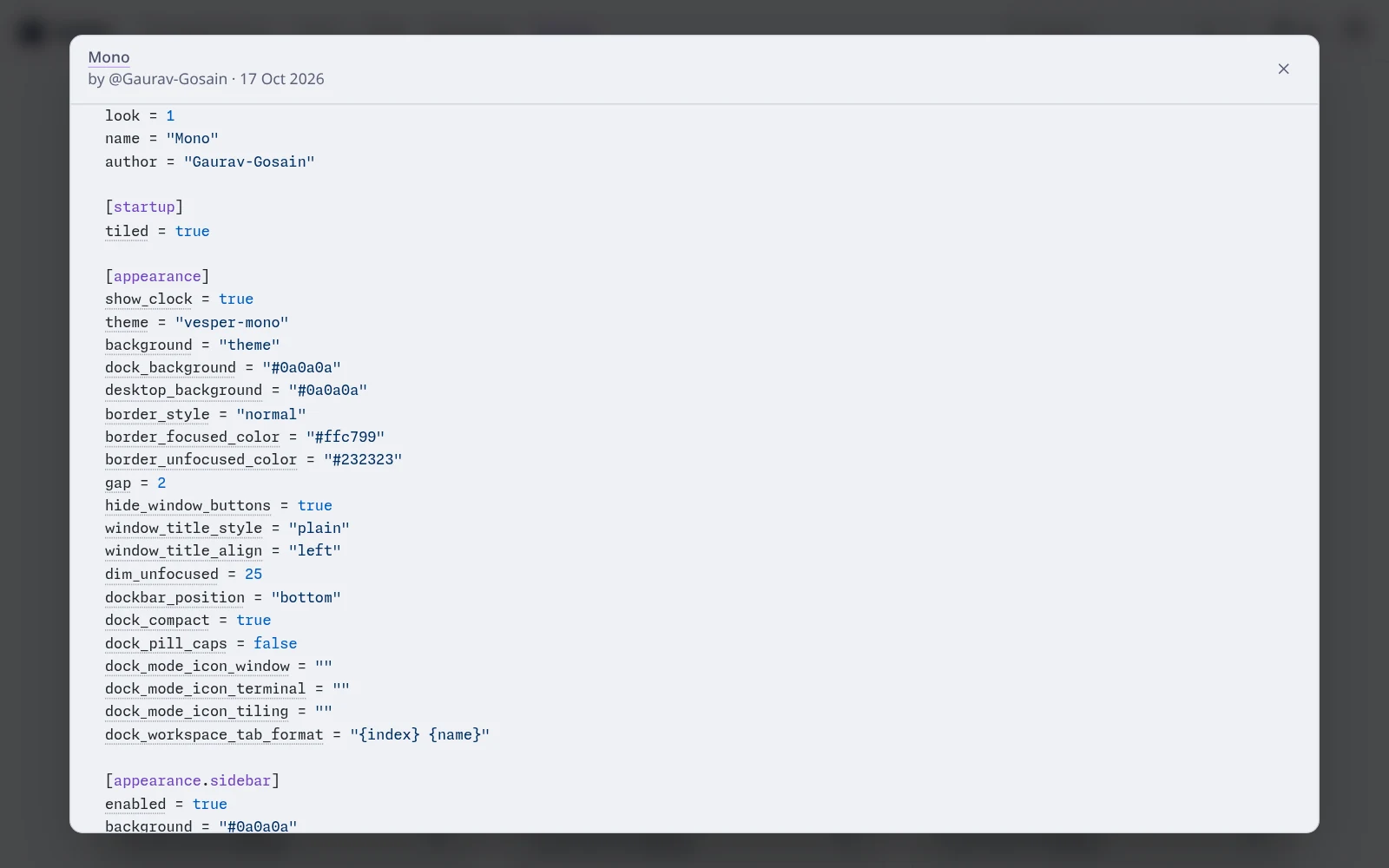
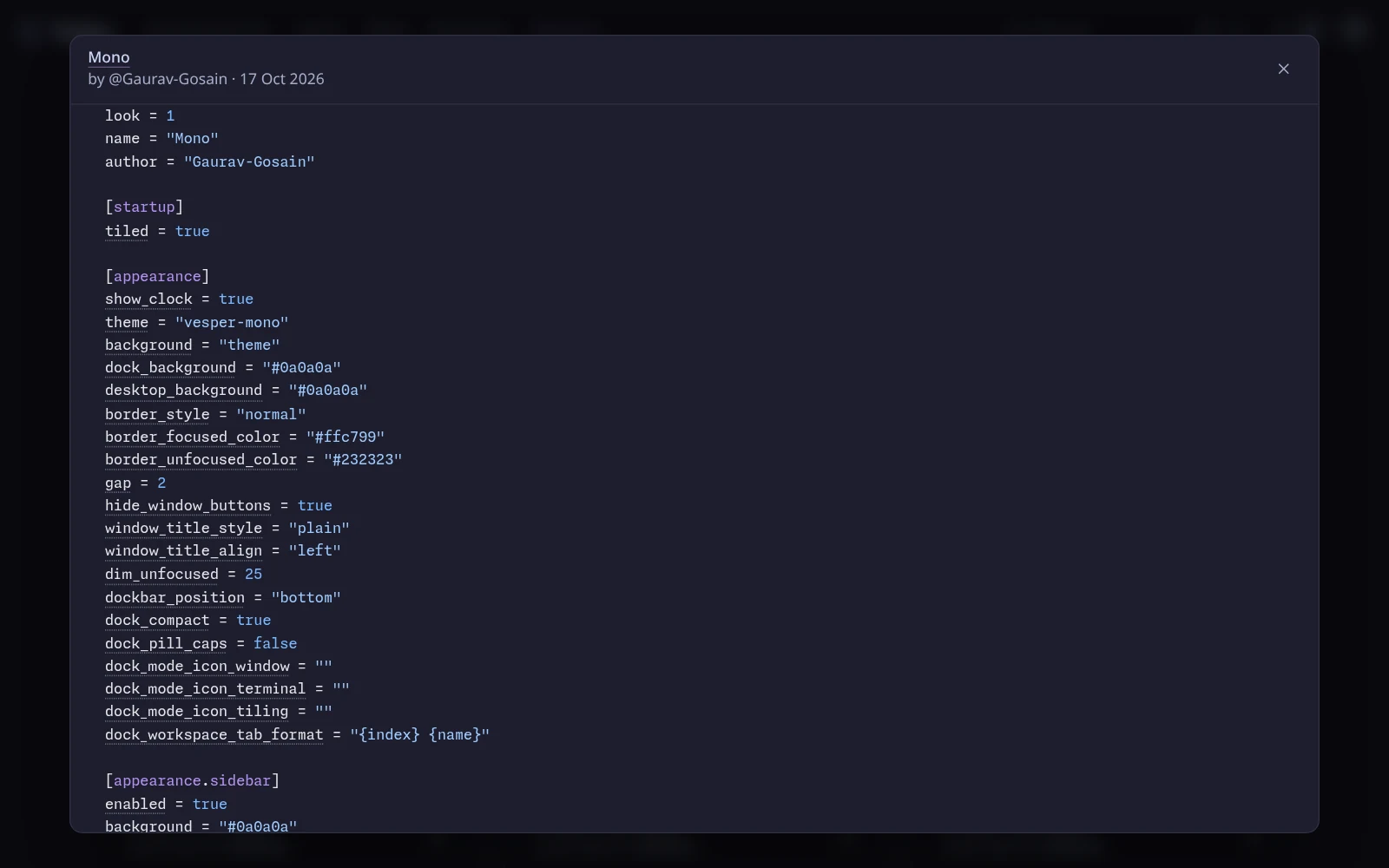
Shiki highlights it, but each token is drawn as a React text child, so nothing from a comment is ever parsed as HTML.
Votes without accounts
Cards have two counts, shown apart, because they are not worth the same.
GitHub reactions are the trusted one. The sync counts each person who reacted, once per person. My approval rocket and the author's own reactions do not count.
Hearts on the site are cheap to fake by comparison, so they carry the
most guards. A like must come from the gallery page itself, name an entry in
the current feed, stay under a per-IP rate limit, and carry a Cloudflare
Turnstile token that siteverify accepts for the like action.
That last check had a hole too. The first version accepted a siteverify reply with no hostname in it. Now it must name this host:
return (
  out.success === true && out.action === "like" && out.hostname === host
);
The likes live in one Durable Object with SQLite storage, which serializes every write, so a like and its count cannot race. No IP address is stored. The first design keyed a like by a hash with a daily random salt, which let a visitor like the same entry again every day. The key is now an HMAC with a secret pepper that lives only in the Worker's secrets:
const voter = this.pepper
  ? `p:${await hmac(this.pepper, `like|${ip}|${entry}`)}`
  : await sha256(`${this.salt()}|${ip}|${entry}`);
It is stable, so one IP likes an entry once. It cannot be turned back into an address without the pepper. And two keys from the same visitor for different entries cannot be linked to each other. The page sets no cookie.
The Top order sorts by github * 3 + site. One GitHub reaction is worth
three hearts, because a GitHub account costs more to fake than a page visit.
Applying a stranger's config
A picture of a nice setup is only half of it. Every card also has a command:
tuios look apply tuios.dev/r/<id>This is the part I was most nervous about. It takes text a stranger wrote and
puts it into your terminal's config. tuios config can run commands: hooks,
custom dock cells, the shell to start, a link opener. So
tuios look is built
around one question: what is the worst a look can do? It is on main and not in
a release yet, which is why the cards say "Unreleased".
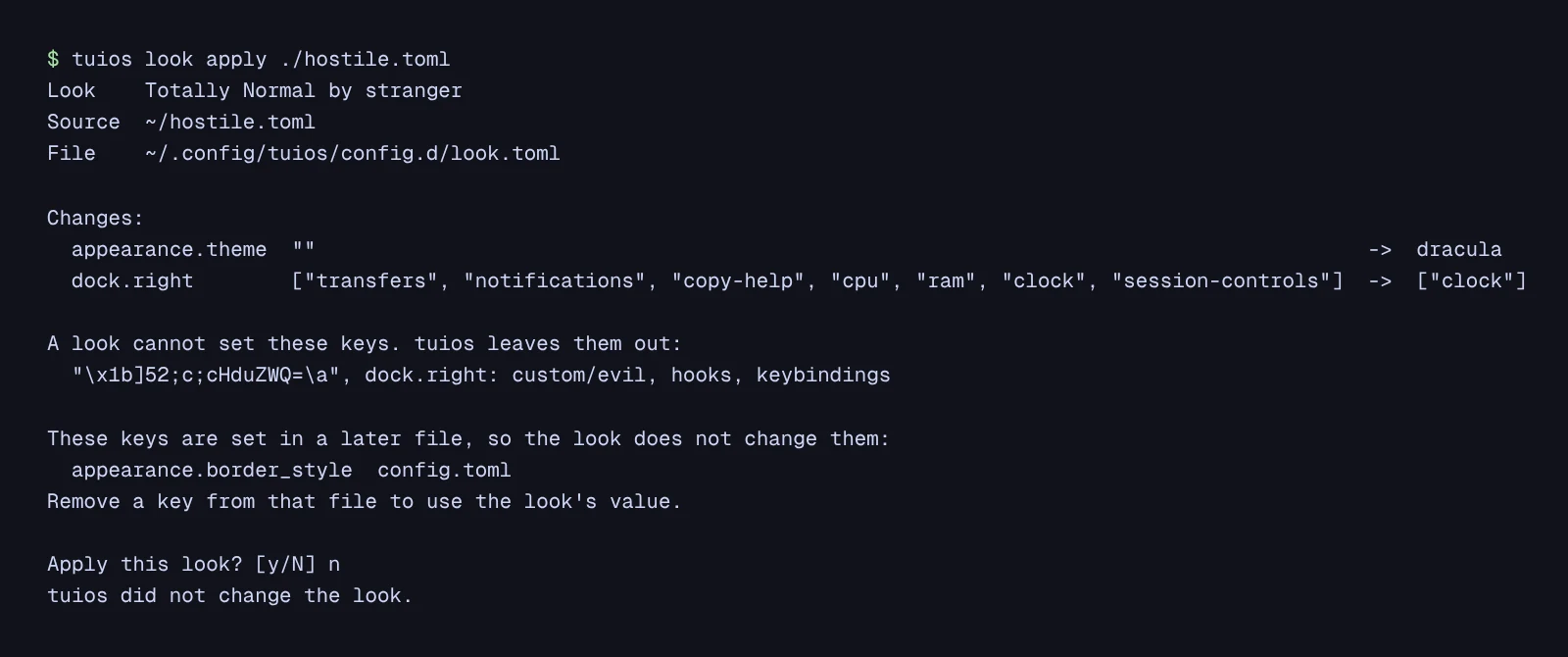
That is the plan for a look I wrote to be hostile. It sets a theme and the
right side of the dock, which is fine. It also tries to add a custom/evil
dock cell, a session-start hook that pipes a download into sh, a keybinding,
and a key whose name is an escape sequence. Everything bad is left out and
named, and nothing is written until you say yes.
A closed list. A look is a small TOML file with look = 1.
It may set only the keys on a closed list: theme, glyphs, colours, borders,
gaps, titles, the dock, the rail, the scrollbar, selection colours, layout
sizes. That list was 87 keys when tuios look landed and is 113 on main today. An
option added to tuios later is not a look key until someone puts it on the
list. Every other key is left out and named in the
plan, as a whole table where nothing under it is allowed: hooks,
keybindings, include, hosts, daemon, plugins, preferred_shell,
copy_command, osc52_write and the rest. The options that run a program,
name a file or write the clipboard are also on a second list,
config.ReachesHost, which a look checks as well. The browser demo at
/learn refuses those options through the same function, so there are
two locks on one door.
Item by item where it matters. A look can set the dock's cell lists and
the rail's sections
(#861), but not custom/
cells. A custom cell runs a command from your own config, and a look that
named one would start it. So dock.right: custom/clock is left out by name,
and the other items apply.
Every value checked. Each value goes through the same check as
tuios set-config, and a bad value stops the whole look. A string with a
control character or a bidi control is refused, so an escape sequence in
window_title_format cannot reach the frame.
The preview could write your clipboard. This one is my favourite, and it
was found in review before release. tuios shows you the plan before it asks,
including the keys it leaves out. TOML allows quoted keys, and a quoted key
can hold anything, including an escape sequence. So a look with a key named
"\u001b]52;c;<base64>\u0007" would be left out, correctly, and then printed in the
plan. Printing it is an OSC 52 write: your terminal puts the attacker's text
on your clipboard. You never said yes. You only looked. Key names are now
printed quoted whenever they hold anything but graphic characters:
func lookKeyShown(key string) string {
	if strings.IndexFunc(key, func(r rune) bool { return !unicode.IsGraphic(r) }) < 0 {
		return key
	}
	return strconv.QuoteToGraphic(key)
}
The TOML parse error got the same treatment, since a parse error can quote a key too.
A layer you can take off. A look never edits your config.toml. It is
written to its own file, config.d/look.toml, and its theme and glyph set go
in as look-<id>, next to your own. config.toml still wins over
config.d, and the plan names every look key your own config overrides, so
you know why a key will not change. tuios look remove deletes that one file
and the assets, and your config is exactly what it was. A settings change you
make later goes to config.toml, never into look.toml, so the next apply
or remove keeps it. And tuios will not replace a look.toml or a theme it
did not write.
And the download. https only, a 15 second timeout, a 64 KiB cap, and 32 KiB per theme or glyph set.
The gallery and tuios share one list. tuios look keys --json prints the
allowlist, and the docs site vendors that file, with a test on each side
that fails when the copies drift. So the card can tell you, before you run
anything, which keys a look will leave out.
Steal this
If you want a showcase like this for your own project, borrow a platform that already has accounts and abuse tools, and make approval one human action that an edit undoes. Then check what the reviewer saw from the platform's own rendering, re-encode every image, and allowlist hosts by exact name. And if you hand out config, remember that printing untrusted text to a terminal is already doing something.
The code is in the tuios-docs
repository under lib/gallery/, worker/ and
.github/workflows/gallery.yml, and tuios look is in
internal/config/look.go in tuios. If you have a setup you like, the
discussion is open.