A terminal window manager that knows what your agents are doing
Tile panes across nine workspaces in the terminal you already use. A daemon keeps sessions running when you detach and reaches your other machines. The coding agents in your panes report what they are doing, and one Inbox holds everything they are waiting on.
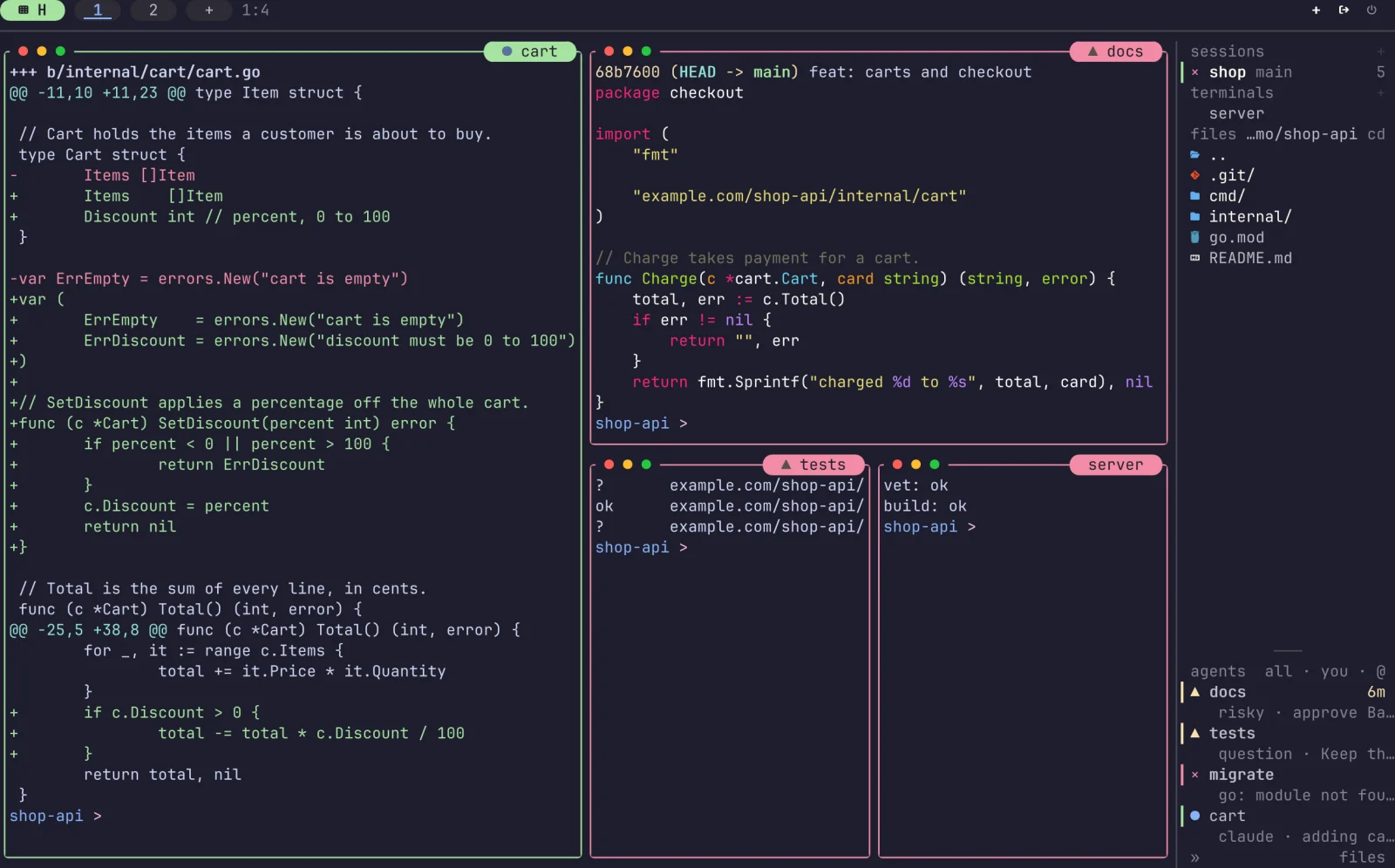
Tiled panes, a sidebar of sessions and files, and every agent's state at a glance: working, waiting on you, done or failed. Layouts
What it does
A multiplexer, a desktop and a desk for your agents
Agents you can see
tuios detects Claude Code, Codex and other harnesses in a pane and shows whether each is working, waiting or done, in the sidebar and on the pane's title.
One Inbox
Approvals, questions and failures from every session in one list. Answer, snooze or dismiss them, and undo a slip.
Review and fan
Read an agent's diff and send it notes. Fan one prompt out to several agents, each in its own worktree, and keep the best.
Tiling or floating
BSP splits, master-stack or scrolling columns, or tiling off and windows you drag with the mouse.
Sessions that stay
A daemon owns the panes. Detach, close the terminal, and attach again later from here or over SSH.
Other machines
Add a host once with tuios hosts add, then attach to its sessions in this client or run one pane on it.
Settings you can search
Every option on one searchable page, with a dot on what you changed. Pick a theme, a background for panes and chrome, borders and glyphs.
Scriptable
Drive a session with send-keys, capture-pane, wait-for and a JSON control protocol, or replay a tape.
Also: kitty graphics passthrough, a vim-style copy mode, a command palette, 340+ themes, and a browser terminal.
Get started
Install it, run it, press n
Install
$ brew install tuiosStart a session
Run tuios. It starts the daemon if it is not running and attaches you to a session.
Learn eight keys
The table has the ones you need on day one. The keybindings page lists the rest, or run tuios keybinds list. Or learn them hands on, in your browser, before you install anything.
default keys
- n
- New window
- iorEnter
- Enter terminal mode
- Ctrl+BthenEsc
- Back to window mode
- t
- Toggle tiling
- Ctrl+P
- Command palette
- Ctrl+Bthend
- Detach, keep running
- ?
- Help
- a key that is still loading
- You can never learn enough
From the blog
All postsA rice gallery that bots can't spam
The tuios.dev gallery has no form, no upload and no account system. GitHub comments are the queue, one reaction is the approval, every image is re-encoded, and applying a stranger's config is a layer you can take off. Here is how it works, and the ways review found to sneak an image past the approval.
Making an idle multiplexer actually idle
An idle tuios client woke about 20 times a second to write nothing, and an idle daemon ran five polling loops. Ten pull requests later the client sleeps until something happens, and the daemon does 1 to 2 context switches a second.
A terminal cannot paste an image, so tuios carries it to the agent
Coding agents want screenshots and long logs, and a terminal paste is text. How the tuios reply editor hands a paste or an image to six different harnesses, and the edges on the way. A named pipe called shot.png, a 160 KB PNG that wanted 138 MB, and a kitty size that divided by zero.