A terminal window manager that knows what your agents are doing
Tile panes across nine workspaces in the terminal you already use. A daemon keeps sessions running when you detach and reaches your other machines. The coding agents in your panes report what they are doing, and one Inbox holds everything they are waiting on.
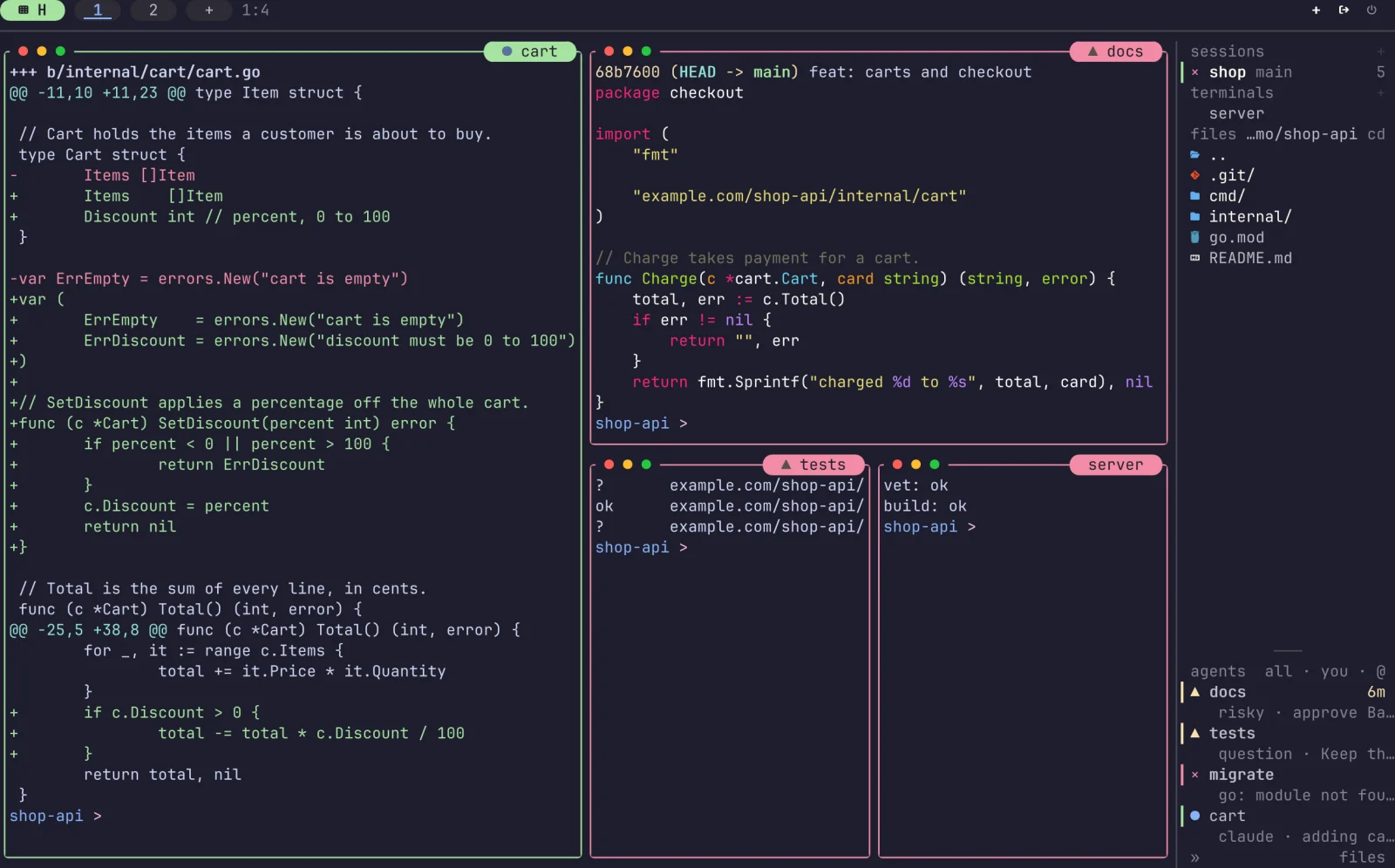
Tiled panes, a sidebar of sessions and files, and every agent's state at a glance: working, waiting on you, done or failed. Layouts
What it does
A multiplexer, a desktop and a desk for your agents
Agents you can see
tuios detects Claude Code, Codex and other harnesses in a pane and shows whether each is working, waiting or done, in the sidebar and on the pane's title.
One Inbox
Approvals, questions and failures from every session in one list. Answer, snooze or dismiss them, and undo a slip.
Review and fan
Read an agent's diff and send it notes. Fan one prompt out to several agents, each in its own worktree, and keep the best.
Tiling or floating
BSP splits, master-stack or scrolling columns, or tiling off and windows you drag with the mouse.
Sessions that stay
A daemon owns the panes. Detach, close the terminal, and attach again later from here or over SSH.
Other machines
Add a host once with tuios hosts add, then attach to its sessions in this client or run one pane on it.
Settings you can search
Every option on one searchable page, with a dot on what you changed. Pick a theme, a background for panes and chrome, borders and glyphs.
Scriptable
Drive a session with send-keys, capture-pane, wait-for and a JSON control protocol, or replay a tape.
Also: kitty graphics passthrough, a vim-style copy mode, a command palette, 340+ themes, and a browser terminal.
Get started
Install it, run it, press n
Install
$ brew install tuiosStart a session
Run tuios. It starts the daemon if it is not running and attaches you to a session.
Learn eight keys
The table has the ones you need on day one. The keybindings page lists the rest, or run tuios keybinds list. Or learn them hands on, in your browser, before you install anything.
default keys
- n
- New window
- iorEnter
- Enter terminal mode
- Ctrl+BthenEsc
- Back to window mode
- t
- Toggle tiling
- Ctrl+P
- Command palette
- Ctrl+Bthend
- Detach, keep running
- ?
- Help
- a key that is still loading
- You can never learn enough
From the blog
All postsA wait that made the pane 197 times slower
An agent that waits for output with tuios wait-for made a flooding pane three times slower. I fixed how often the wait looked. On the libghostty-vt backend the same test still said 197 times, because each look read the history one cell at a time.
One fuzz failure was the test, one was the emulator
Two fuzz targets failed in tuios on the same evening. The kitty graphics target had an oracle that an allocator change left behind, and my first fix made it too lenient. FuzzModel found a real bug, a cut-off UTF-8 rune that ate the escape after it.
Why your link click did nothing
The hover label in tuios said shift+click to open a link, and in most terminals shift+click never reached tuios. The fix moved the click to ctrl, sent every link to the outer terminal as OSC 8, and then got the Mac wrong once before it got it right.